




Large Format Printers
-
 Read more ...
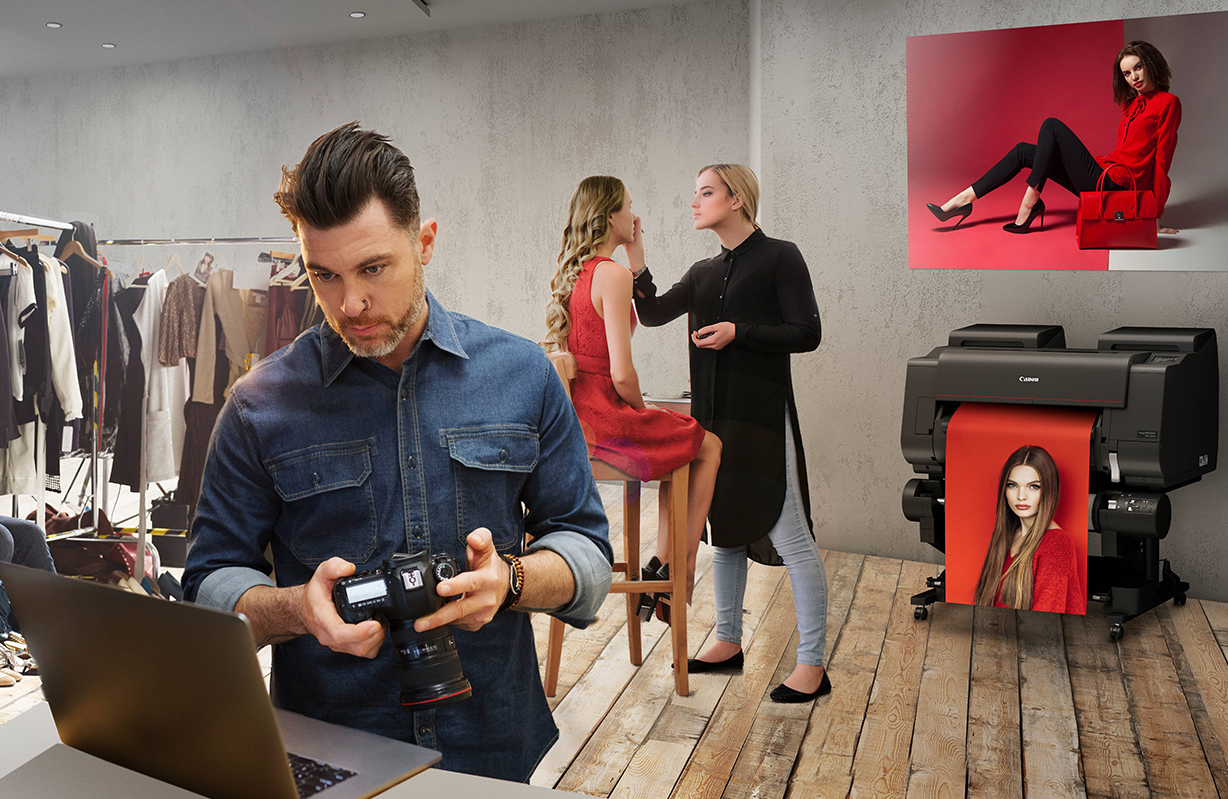
PSW has expanded its professional print portfolio following its appointment as an authorised Canon UK reseller for the latest Canon ImagePROGRAF photography and fine art printer range. The appointment enables PSW to supply Canon's newest ImagePROGRAF GP and PRO Series printers to photographers, artists, print studios and creative professionals across the UK, further strengthening the company's offering in the professional large format print market.
The range now available from PSW includes:
Canon ImagePROGRAF GP Series
- ImagePROGRAF GP-2600S
- ImagePROGRAF GP-4600S
- ImagePROGRAF GP-6600S
Designed for high-quality graphics, photography and poster production, the GP Series combines an expanded colour gamut with excellent colour consistency, making it well suited to vibrant retail graphics, premium posters and professional photographic output.
Canon ImagePROGRAF PRO Series
- ImagePROGRAF PRO-2600
- ImagePROGRAF PRO-4600
- ImagePROGRAF PRO-6600
Developed for professional photographers and fine art producers, the PRO Series delivers exceptional image quality, precise colour reproduction and smooth tonal gradation, helping users produce gallery-quality photographs and fine art prints with confidence.
As one of a select number of specialist Canon UK partners offering the latest ImagePROGRAF range, PSW is now able to provide customers with a complete Canon large format solution, backed by experienced technical advice, installation, media expertise and ongoing support.
"We're really pleased to be adding the latest Canon ImagePROGRAF range to our portfolio," said Tom Skinner, Sales Director at PSW.
"Canon has built a fantastic reputation in professional photography and fine art printing, and these new GP and PRO Series printers are a great fit for the markets we support. We've already had plenty of interest from customers looking to upgrade or invest in new equipment, so it's great to be able to offer them the latest technology backed by the service and support they're used to receiving from PSW.
"For us, it's about more than simply supplying a printer. We work with customers to understand what they're trying to achieve, recommend the right hardware, media and workflow, and then continue to support them long after installation. That's what sets PSW apart."
Alongside the new Canon printer range, PSW supplies a comprehensive selection of genuine inks, specialist media and workflow solutions, enabling customers to achieve the highest standards of print quality across photography, fine art and graphic production.
The addition of the Canon ImagePROGRAF GP and PRO Series reflects PSW's continued commitment to investing in market-leading technology and giving customers access to the best solutions available for professional print.
The Canon ImagePROGRAF GP-2600S, GP-4600S, GP-6600S, PRO-2600, PRO-4600 and PRO-6600 are available to order now from PSW.
For more information about the Canon ImagePROGRAF range, or to discuss your professional print requirements, contact the PSW sales team or visit www.psw.co.uk.
About PSW
Established for more than 35 years, PSW is one of the UK's leading suppliers of professional print technology, offering large format printers, finishing equipment, media, consumables and colour-managed workflow solutions. Working with many of the industry's leading manufacturers, PSW helps customers across the photography, graphics, signage, display and fine art sectors choose the right technology for their business, backed by expert advice, installation and ongoing technical support.
-
 Read more ...
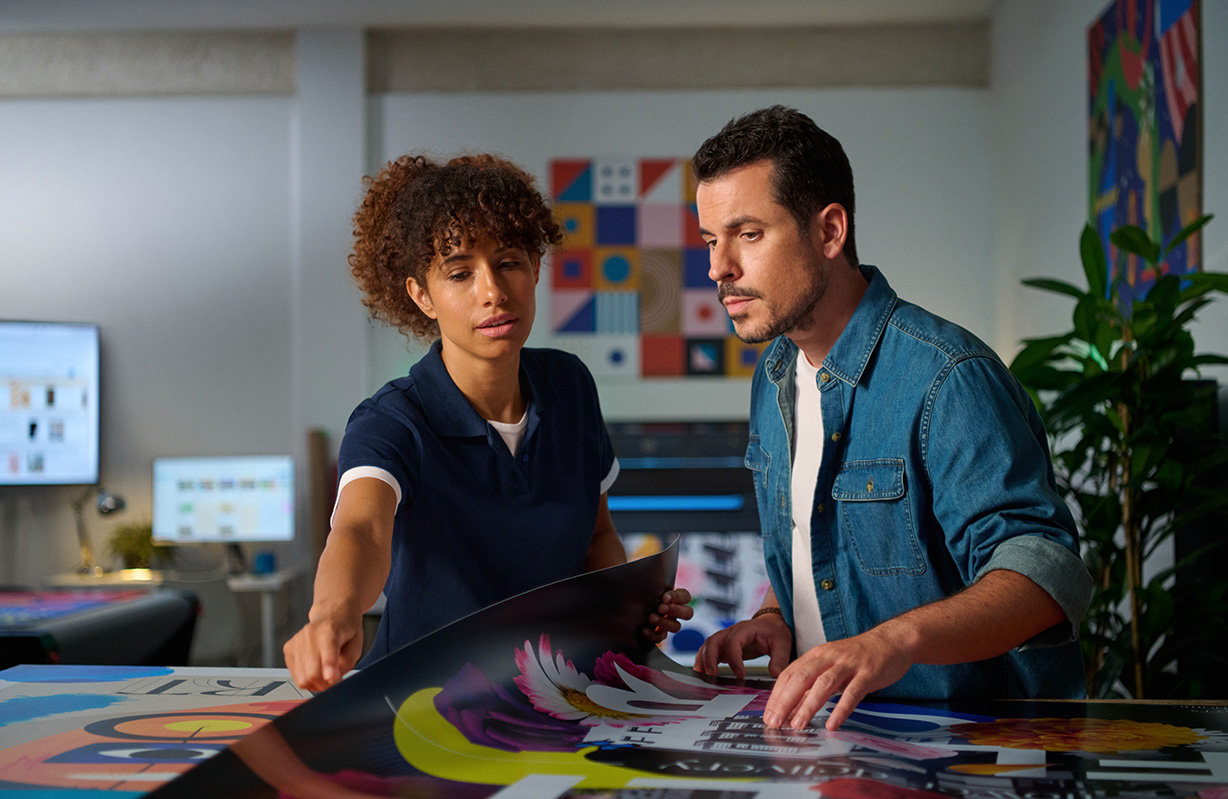
For years, wide format print businesses could rely on a steady flow of banners, posters and exhibition graphics. While those products remain an important part of many print service providers' (PSPs) portfolios, they're no longer where the strongest margins are being made.
Competition has intensified, online pricing has squeezed profits, and customers increasingly expect premium quality with rapid turnaround. At the same time, advances in print technology have opened the door to applications that were once considered specialist or outsourced work.
The result is a noticeable shift across the industry.
Rather than chasing higher volumes of low-margin work, many PSPs are focusing on applications that deliver greater value, encourage repeat business and strengthen long-term customer relationships.
That shift is something PSW is seeing first-hand.
According to Tom Skinner, Sales Director at PSW, conversations with customers have changed noticeably over the past few years.
"We're seeing far more print businesses looking beyond traditional signage. Customers want to know where the next opportunities are and which applications will genuinely help them improve margins. The focus has shifted from simply replacing existing equipment to investing in technology that opens up new markets such as interior décor, retail graphics and vehicle wraps."
It's a trend reflected across the industry as more PSPs diversify their services and reduce their reliance on lower-margin commodity print.
Interior Décor Has Become a Mainstream Print Opportunity
Not long ago, printed wall coverings were considered a niche product. Today they're specified by architects, interior designers, retailers and corporate clients as part of everyday refurbishment projects.
Whether it's a boutique hotel creating a memorable guest experience, a healthcare provider refreshing waiting areas or a retailer designing an immersive shopping environment, customised wall graphics have become an established part of modern interiors.
Unlike traditional signage, these projects often involve consultation, material selection and bespoke production—all factors that help move the conversation away from price alone.
Demand continues to grow across:
- Hospitality
- Retail
- Corporate workplaces
- Healthcare
- Education
- Residential interiors
For PSPs, that's good news. Interior décor projects typically command stronger margins and frequently lead to repeat business as organisations refurbish additional locations or roll out branding across multiple sites.
For businesses looking to enter this market, the HP Latex 630 Series provides an accessible route into premium décor applications, including white ink capabilities, without requiring a large production footprint. Larger operations producing higher volumes often look towards the HP Latex 730 and HP Latex 830 Series to support increased productivity while maintaining exceptional print quality.
Retail Graphics Are Becoming Faster—and More Local
Retail graphics have always been a reliable source of work, but the way they're produced has changed dramatically.
National campaigns are now commonly adapted for individual stores, local promotions or limited-time events. Window graphics may only remain in place for a few weeks before being replaced by the next campaign.
Retail customers are also demanding greater flexibility. Campaigns are becoming shorter, more localised and more responsive to seasonal trends, meaning print providers need production workflows that can keep pace without sacrificing quality.
That increasing demand for flexibility is something many PSPs are experiencing, particularly those working with retail groups, franchises and marketing agencies where multiple versions of the same campaign are often required.
Typical projects include:
- Window graphics
- Seasonal promotions
- Point-of-sale displays
- Promotional branding
- Store refreshes
The ability to print, finish and prepare graphics for installation quickly has become a genuine competitive advantage, particularly for businesses producing retail graphics at volume.
Vehicle Wraps Continue to Offer Excellent Value
Vehicle graphics remain one of the most recognisable examples of wide format printing.
From independent tradespeople to national logistics companies, organisations continue to invest in vehicle branding because it provides continuous visibility long after installation.
For PSPs, vehicle wraps also represent one of the industry's highest-value applications. Colour consistency, durability and installation performance all influence customer satisfaction, particularly when branding needs to remain consistent across an entire fleet.
Although it's a mature market, demand remains steady across construction, facilities management, transport, utilities and local businesses.
For print companies already producing signage, vehicle graphics often provide a natural extension of existing services while increasing average order values and strengthening customer relationships.
Short-Run Printing Is Reshaping Customer Expectations
Large print runs still have their place, but they're no longer the default.
Brands increasingly want campaigns tailored to individual stores, specific regions or one-off events. Marketing teams value flexibility, allowing graphics to evolve throughout a campaign rather than committing to thousands of identical prints.
Projects increasingly include:
- Event branding
- Localised marketing campaigns
- Limited-edition promotions
- Personalised displays
- Pop-up retail graphics
Efficient digital workflows have become essential, allowing PSPs to move seamlessly between multiple short-run jobs without lengthy setup times or unnecessary waste.
For businesses serving agencies, retailers and brand owners, that flexibility has become a genuine competitive advantage.
Experience-Led Retail Is Creating New Opportunities
Retail design has evolved far beyond shelves and product displays.
Today's physical stores are carefully designed environments intended to encourage customers to spend more time in-store and build stronger connections with the brand.
Print plays a significant role in creating that experience.
Floor graphics, wall displays, illuminated graphics, directional signage and bespoke décor all contribute to a consistent visual identity while helping retailers refresh spaces quickly and cost-effectively.
These projects often combine several applications within a single installation, creating opportunities for repeat business while increasing the overall value of each project.
Versatile print technology allows PSPs to produce this broad mix of applications without relying on multiple specialist production systems.
Diversification Is About More Than New Products
Perhaps the biggest lesson from the past few years is that resilience matters.
Businesses relying heavily on one product category are often more exposed to pricing pressure and changing market conditions.
Those offering a broader range of services are generally better positioned to adapt as customer requirements evolve.
Diversification doesn't necessarily mean reinventing your business overnight. Often it starts by identifying additional opportunities within your existing customer base.
A retailer ordering window graphics today may also require wall coverings, floor graphics and point-of-sale displays tomorrow. An office refurbishment could lead to reception branding, meeting room graphics and interior décor across multiple locations.
The more applications a PSP can confidently produce, the greater the opportunity to become a trusted long-term partner rather than simply another print supplier.
Technology Is Supporting That Shift
Diversification isn't simply about adding new applications—it's about having the confidence to produce them efficiently and consistently.
According to Andrew Hand, Marketing Manager at PSW, customers are taking a much broader view when investing in new print technology.
"The conversations we're having today are much less about headline print speeds and much more about business capability. Customers want equipment that gives them the flexibility to produce a wider range of applications, improve workflow efficiency and support future growth. They're looking at the long-term opportunities rather than just today's workload."
That growing emphasis on versatility is one reason HP's Latex portfolio continues to attract interest from businesses looking to expand their offering.
The HP Latex 630 Series provides an accessible route into premium décor and white ink applications, while the HP Latex 730 and HP Latex 830 Series are designed for higher-volume production across multiple application types. Together, they give PSPs the flexibility to diversify without investing in multiple specialist systems.
Final Thoughts
The most successful print businesses in 2026 are unlikely to be those producing the greatest volume of work—they'll be the ones producing the greatest value.
Applications such as interior décor, retail graphics, vehicle wraps and customised print continue to demonstrate that customers are prepared to invest in quality, creativity and fast turnaround when the solution meets their needs.
For PSPs, diversification isn't about moving away from traditional signage. It's about broadening capabilities, creating new revenue opportunities and building stronger, longer-lasting customer relationships.
As customer expectations continue to evolve, investing in versatile print technology and developing expertise across a wider range of applications could prove to be one of the smartest long-term business decisions a print provider can make.
-
 Read more ...
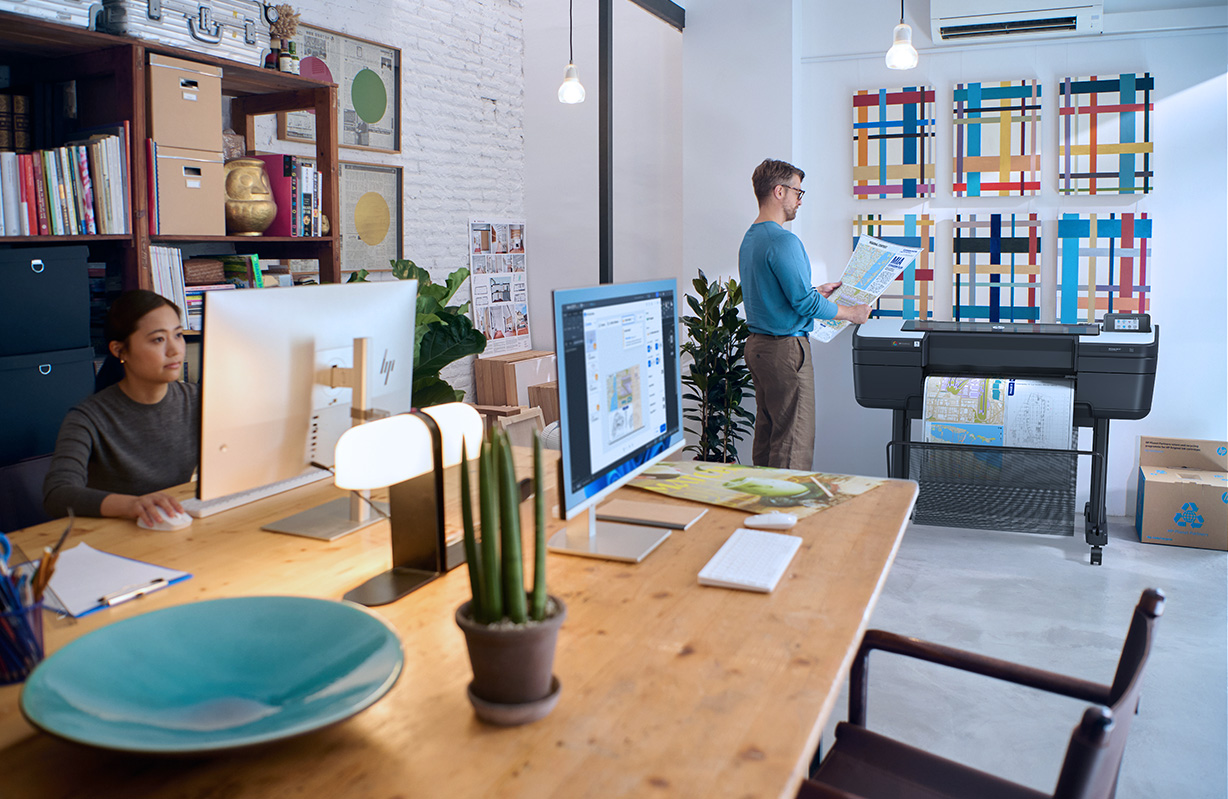
HP has expanded its large format printing portfolio with the launch of the HP DesignJet Z6 and Z9+ PostScript Printer Series Plus Edition, designed to deliver improved image quality, workflow automation and higher productivity for print businesses.
The new series builds on a DesignJet platform that HP says has more than 40,000 units installed worldwide. Combining technologies from the previous Z6 and Z9 models, the latest printers are aimed at businesses producing professional photography, retail graphics, posters and technical drawings.
Targeting small and medium-sized print providers, the printers are designed for a broad range of users, including photo studios, copy shops, retailers, educational establishments and architectural practices looking to manage multiple applications from a single device.
According to HP, the new DesignJet range combines HP Pixel Control technology with HP Vivid Photo Inks to produce sharp detail, smooth colour gradients and water- and fade-resistant prints. The company also says its dual-drop technology delivers high-quality output without the need for additional light inks, helping to simplify the ink system while maintaining image quality.
The HP DesignJet Z9+ Plus Edition has been developed for colour-critical applications, including professional photography and premium graphics production. It features an embedded spectrophotometer for automatic colour calibration, while an optional HP Gloss Enhancer is available to improve gloss uniformity across printed output.
Alongside improvements in image quality, HP has introduced a range of features aimed at increasing production efficiency. The company says new print modes can increase output by up to 90% in certain production scenarios, while dual-roll capability, automatic roll switching and an integrated vertical trimmer on selected models are designed to reduce manual intervention and minimise finishing times.
In addition to the hardware upgrades, HP has strengthened the software ecosystem surrounding the new DesignJet range. Enhanced integration with the HP Click App and Driver is designed to simplify job submission and print preparation, enabling users to process files more efficiently and improve workflow across multiple print applications.
HP has also incorporated HP Wolf Pro Security into the new printer series, providing built-in protection against cyber threats and helping businesses safeguard connected devices, print jobs and sensitive business data as production environments become increasingly digital.
HP expands PrintOS Production Hub
Alongside the printer launch, HP has announced a series of enhancements to HP PrintOS Production Hub. The latest updates include a new Order Approval feature, allowing customers to review and approve jobs before production begins, helping to reduce errors and unnecessary reprints.
HP has also introduced an Orders API, enabling PrintOS Production Hub to integrate with CRM, ERP, MIS and accounting systems to automate order management across existing software platforms. Completing the update is a new AI Upscale Image feature, designed to improve the quality of lower-resolution artwork during file preparation and reduce the need for manual image enhancement before printing.
Commenting on the launch, Daniel Martinez, Senior Vice President and Division President of HP Large Format Printing, said:
"Print businesses today need to do more with less – faster turnaround, broader applications and consistent quality. The HP DesignJet Z6 and Z9+ PostScript Printer Series Plus Edition has been developed to deliver the precision, quality and productivity customers need to grow their businesses profitably."
The HP DesignJet Z6 and Z9+ PostScript Printer Series Plus Edition is expected to be available in the UK from early to mid-July 2026.
-
 Read more ...
For years, productivity in the print industry has largely been measured in square metres per hour. It's a simple metric and one that remains useful when comparing print speeds on paper. However, for many print service providers, it no longer reflects the reality of modern production environments.
The true cost of inefficiency rarely comes from a printer running too slowly. More often, it stems from workflow interruptions that create delays across the wider production process. A printer sitting idle while operators wait for files, a finishing department struggling to keep pace with output, or an installation schedule being pushed back because production missed a deadline can all have a significant impact on profitability.
While these disruptions may appear minor in isolation, they often create a chain reaction throughout the business. Lost production time affects labour utilisation, finishing capacity, dispatch schedules and customer delivery expectations. Over time, these small inefficiencies accumulate, reducing throughput and placing additional pressure on already stretched teams.
The Shift Towards Continuous Production
As customer expectations continue to evolve, print businesses are being asked to deliver more work, in less time, across a wider variety of applications. Short-run jobs, personalised campaigns, retail graphics, wall coverings and event materials are frequently moving through production simultaneously, often with increasingly demanding turnaround times.
In this environment, raw print speed is only part of the equation. The businesses gaining a competitive advantage are those that can maintain consistent workflow continuity, minimise interruptions and move jobs efficiently from pre-press through to finishing and installation.
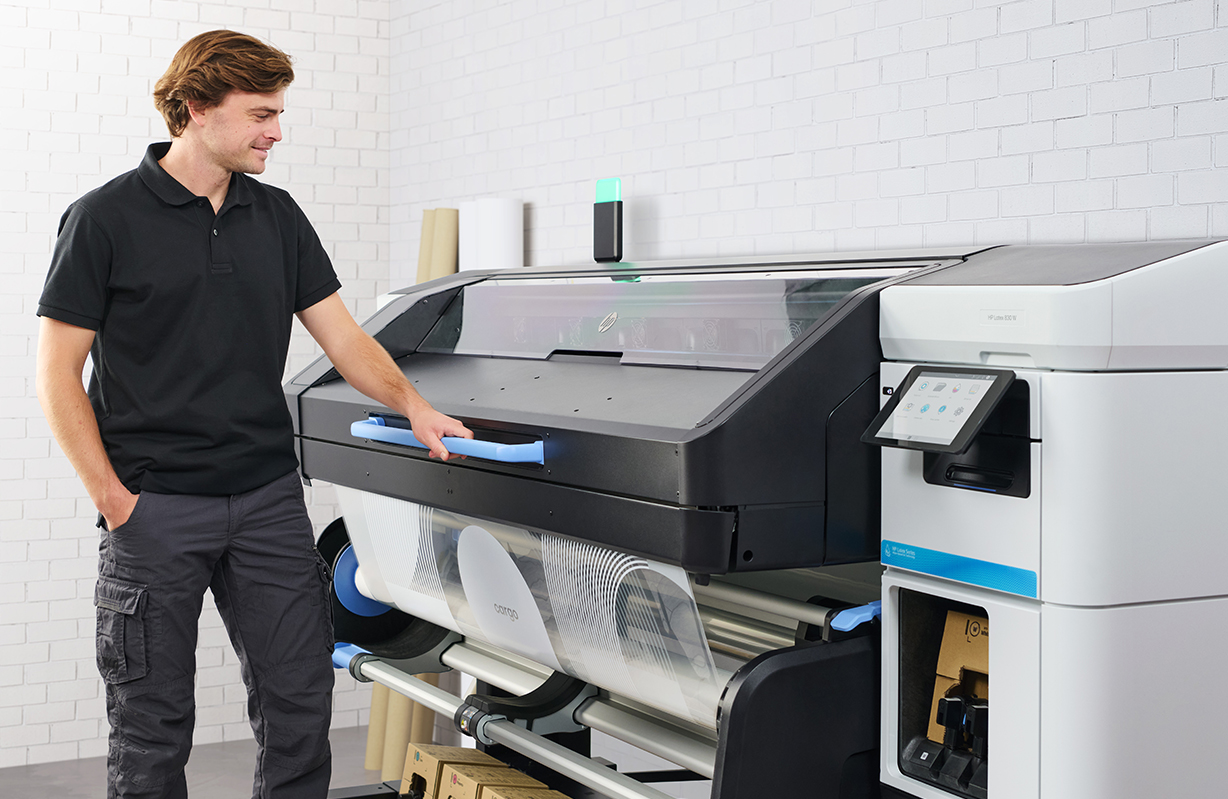
This shift in priorities is one of the reasons why the latest HP Latex printer range has gained significant attention across the market. Rather than focusing solely on production speed, the HP Latex 630, HP Latex 730 and HP Latex 830 Series are designed to support different levels of workflow demand while helping businesses maintain predictable output and operational efficiency.
The HP Latex 630 and 630W are particularly suited to smaller or growing print providers looking to expand into higher-value applications such as wall coverings, retail graphics and white ink production. For businesses managing increasing workloads, the HP Latex 730 and 730W offer a balance of productivity, consistency and versatility across a broad range of commercial print applications. At the higher-volume end of the market, the HP Latex 830 and 830W are designed for production environments where uptime, throughput and workflow continuity are critical to maintaining profitability.
Although each platform serves a different segment of the market, the underlying objective remains the same: reducing production friction and keeping jobs moving efficiently through the business.
Why Finishing Efficiency Matters Just as Much as Print Speed
One area that is often overlooked when assessing production performance is the time required between printing and finishing. In many print environments, bottlenecks occur not during printing itself, but in the period that follows when jobs are waiting to be laminated, trimmed, packed or prepared for installation.
The ability to move work directly into finishing can have a significant impact on overall productivity. Faster progression through the workflow means improved labour utilisation, fewer production delays and greater capacity to handle urgent or last-minute work without disrupting existing schedules.
For print service providers operating in sectors such as retail graphics, events and promotional campaigns, these efficiencies can make the difference between meeting tight deadlines and missing valuable opportunities.
Building Capacity Through Better Workflow
As workloads become increasingly diverse and less predictable, operational flexibility is becoming one of the most valuable assets a print business can develop. The challenge is no longer simply producing more output; it is managing a wider mix of applications while maintaining consistency, quality and profitability.
Whether handling short-run promotional campaigns, regionalised marketing materials, seasonal retail rollouts or bespoke customer projects, businesses need production systems that support efficient workflow management rather than adding complexity.
This is where workflow-focused print technology is creating measurable business value. By reducing interruptions, improving production continuity and enabling more predictable job scheduling, modern print systems help businesses increase capacity without proportionally increasing labour requirements or operational risk.
The Future of Competitive Advantage in Print
The next phase of competition in wide-format printing is unlikely to be defined by which machine offers the highest headline speed. Instead, success will increasingly depend on a company's ability to maintain reliable throughput, reduce operational bottlenecks and respond quickly to changing customer demands.
For forward-thinking print service providers, workflow efficiency is no longer simply a production consideration. It has become a strategic business decision that influences profitability, scalability and long-term growth.
As a result, the HP Latex 630, 730 and 830 Series are increasingly being evaluated not just on print performance alone, but on how effectively they support the wider workflow requirements of modern print production.
-
 Read more ...
Wide-format print has changed significantly over the last few years. For a long time, the conversation around new hardware focused heavily on print quality, but most modern systems now produce output that is more than acceptable for the majority of applications. In 2026, the real challenge for print service providers is operational efficiency.
Margins are tighter, turnaround expectations are shorter, and customers want more variation, more sustainability, and more flexibility — often within the same job. As a result, many PSPs are reassessing whether traditional eco-solvent workflows still make sense for the type of work they are producing today.
Across retail graphics, interior décor, wall coverings, POS, vehicle wraps, and branded environments, businesses are increasingly looking for production systems that help reduce delays and improve workflow from print through to finishing and installation. That shift is one of the reasons the HP Latex range — including the HP Latex 630 and 630W, alongside the 730, 730W, 830 and 830W series — is generating growing interest across the industry.
The Pressure on Modern Print Production
Most print businesses are now operating in a very different environment compared to five or ten years ago. Customers now expect shorter lead times, lower minimum order quantities, greater customisation, and consistent quality across multiple applications. At the same time, PSPs are managing rising labour costs, increasing material prices, tighter margins, and more competition than ever before.
The challenge is no longer simply producing good print — it is producing work efficiently and profitably. For many businesses, the biggest operational issues are the bottlenecks that slow production down, including prints waiting to cure, jobs delayed before lamination, reprints caused by inconsistency, maintenance interruptions, and finishing departments waiting on output.
Over the course of a week, those small delays can have a significant impact on productivity and profitability. That is where latex technology has become increasingly attractive, particularly for businesses focused on fast-turnaround work where keeping production moving matters just as much as image quality itself.
Why Workflow Is Becoming More Important Than Print Specs
A lot of the discussion around new printers still focuses on speed and resolution, but many PSPs are paying closer attention to overall workflow efficiency. If jobs can move directly from printing into finishing without long drying or outgassing times, production becomes easier to manage, installation deadlines become less stressful, and teams spend less time managing queues between departments.
For higher-volume environments, that can make a substantial difference to throughput. The HP Latex 730 and 830 series — including the white ink-enabled 730W and 830W models — are clearly designed with this type of production environment in mind. The emphasis is less about headline specifications and more about helping print businesses maintain consistent output across multiple applications while reducing production friction across the wider workflow.
That becomes particularly important for PSPs handling retail rollouts, campaign graphics, vehicle wraps, short-run promotional work, and interior décor projects where turnaround speed is often just as important as print quality. In many cases, clients are not simply buying print — they are buying reliability, flexibility, and delivery speed.
The Growing Demand for More Versatile Print Applications
Another noticeable shift within the market is the move away from purely commodity print work. Many PSPs are actively trying to diversify into applications that offer stronger margins and more repeat business rather than competing solely on banner pricing or high-volume low-margin production.
This includes areas such as premium wall coverings, window manifestations, retail décor, short-run campaign graphics, vehicle wraps, and white ink applications. These markets typically require greater flexibility from production equipment, but they also create opportunities for print businesses to differentiate themselves and move into more profitable sectors.
This is where the HP Latex 630W has found a particularly strong position in the market. For smaller or growing PSPs, white ink has traditionally meant investing in larger and more complex production equipment. The 630W gives businesses access to those higher-value applications without requiring a major change to their production setup or floor space.
For businesses looking to scale further, the 730W and 830W models extend those capabilities into higher-volume production environments while maintaining the same focus on workflow efficiency and application versatility.
Sustainability Is No Longer Just a Marketing Topic
Sustainability has also become a far more practical commercial consideration for PSPs. A few years ago, environmental messaging was often treated primarily as a branding exercise, but it now increasingly forms part of procurement discussions, particularly for retail brands, corporate interiors, hospitality groups, healthcare environments, and public sector projects.
Questions around indoor suitability, odour levels, environmental standards, and ink technology are becoming more common during supplier selection. In some sectors, those conversations are now expected rather than optional, especially for applications installed in customer-facing or enclosed indoor environments.
Water-based HP Latex inks help address many of those concerns while also supporting applications where indoor air quality and installation conditions matter. For PSPs serving these sectors, that is becoming an important advantage commercially as well as operationally.
Where the Industry Is Heading
The print businesses growing successfully in 2026 are not always the largest operations. In many cases, they are the companies that can adapt quickly, handle diverse applications efficiently, reduce production bottlenecks, keep turnaround times tight, and maintain consistent output across a wide range of work.
That is ultimately where the HP Latex 630, 630W, 730, 730W, 830 and 830W portfolio fits into the market. Each system is designed for different production environments, but all focus on the same priorities modern PSPs are dealing with every day — faster turnaround, greater application flexibility, simpler workflows, and more efficient production.
For most print businesses today, profitability is no longer determined purely by how well a printer prints. Increasingly, it comes down to how efficiently the entire operation runs from production through to finishing and installation.
-
 Read more ...
As an authorised HP reseller, we are pleased to introduce HP’s newest advancements in large-format printing and workflow integration. The launch of the HP DesignJet T870 Printer, the expanded HP Build Workspace, and the latest updates to HP SitePrint mark a significant step forward in helping Architecture, Engineering, and Construction (AEC) teams work with greater speed, precision, and efficiency. These innovations seamlessly connect physical and digital environments, offering sustainable, secure printing and AI-enhanced design tools that support professionals at every stage of the project lifecycle.
Today’s design and construction teams face increasing pressure to deliver rapidly, collaborate across dispersed locations, and maintain creativity within demanding deadlines. HP’s latest technology has been developed with these challenges firmly in mind—providing the tools to streamline processes and elevate productivity.
Smarter Printing for Hybrid Workspaces
The HP DesignJet T870 is engineered for the flexible working practices shaping modern AEC, education, and retail environments. This compact and versatile 24-inch device delivers exceptional print quality while minimising its environmental footprint.
Up to 30% lighter, quieter, and more energy-efficient than previous-generation models, the T870 provides the world’s easiest multi-size printing experience—from A4/A to A1/D—without the need for manual media switching. Capable of producing an A1/D print in as little as 21 seconds, it enables teams to maintain momentum on time-critical projects.
With HP Flex Tech Inks, users gain precise CAD output, striking visuals, and robust signage production. Paired with HP Click Solutions, teams can preview jobs in real time, eliminate errors before printing, and send files from virtually any device.
Connecting Physical and Digital Workflows
For many organisations, bridging analogue and digital processes remains a significant barrier. HP Build Workspace directly addresses this challenge.
Initially introduced in 2024 and now enhanced with advanced AI vectorisation, the platform offers mobile-enabled scanning and AI-powered vectorisation directly from HP DesignJet MFPs. This allows users to digitise sketches, convert legacy documents into CAD-ready files, and share work instantly with colleagues.
AI vectorisation can reduce manual drafting time by up to 80%, allowing professionals to focus on higher-value design and project tasks. Additional collaboration tools—including layer separation, markup functionality, and centralised file sharing—enable seamless communication across offices, studios, and worksites.
From 2026, HP Z Workstation users will also be able to run vectorisation tasks locally, completing them up to twice as fast as cloud-based methods.
Next-Level Precision On-Site
HP is also expanding its construction technology ecosystem with the introduction of the HP SitePrint SMR prism. This detachable accessory delivers enhanced accuracy in layout and floor-deviation marking, minimising manual rework and improving operational consistency. It provides construction teams with a significant upgrade in on-site performance and reliability.
Sustainability and Security Built In
Sustainability and security are central to HP’s design philosophy, and both are integral to the HP DesignJet T870 and HP Build Workspace platforms.
The T870 is manufactured using at least 45% recycled plastic and 10% recycled metal, ships in 100% polystyrene-free packaging, and offers features that can reduce energy consumption by up to **60%** and cut ink usage by as much as **95%** during printhead maintenance.
With HP Wolf Security built into the ecosystem, users can be confident that sensitive data remains protected throughout the workflow - providing peace of mind alongside premium performance.
Driving the Future of AEC Technology
The work of architects, engineers, designers, and construction teams shapes the world around us. HP’s fully integrated technology ecosystem - including Z Workstations, DesignJet printers, SitePrint robotics, and Build Workspace software - ensures every tool works in harmony to eliminate workflow gaps, reduce errors, and accelerate delivery.
These latest announcements reinforce HP’s commitment to:
- Advancing digital transformation across the AEC sector
- Embedding AI and automation into everyday workflows
- Delivering sustainability and security as standard
Availability
- HP DesignJet T870 Printer: available globally from 22 October 2025
- Mobile scanning and AI vectorisation in HP Build Workspace: available via authorised resellers from 3 November 2025 (with trial access included on new HP DesignJet MFP purchases)
- HP SitePrint SMR Prism Accessory: available from November 2025
For further information, pricing, or to arrange a demonstration, please contact our team - we’re here to support your transition to faster, smarter, and more sustainable large-format workflows.
-
 Read more ...
At ISA Sign Expo 2025, HP will announce the HP Latex 730 and HP Latex 830 Printer Series, its latest generation of water-based HP Latex large-format printing solutions. Following last month’s innovations announced at HP Amplify — including the all-in-one HP Latex R530 and HP PrintOS Production Hub — the unveiling of the new series reinforces HP’s ongoing commitment to innovation in Large Format printing, delivering an unrivaled portfolio of hardware, software solutions and services.
The HP Latex 730 and HP Latex 830 are designed to deliver high-impact print quality, enhance productivity and costs for small and medium-sized Print Shops (PSPs) while continuing to differentiate with a sustainability edge.
High-Value Output with Consistent Quality
With the new colour pipeline, HP Pixel Control, the latest generation of inks and printhead architecture, these advanced printers deliver elevated print quality with maximum consistency.
HP Pixel Control is the digital colour pipeline that enables PSPs to deliver a more robust and consistent image quality at a lower number of passes, allowing customers to print uniform solid colours and greater detail. Additionally, enhanced colour consistency and the ability to create colour profiles with the HP Embedded Spectrophotometer allows PSPs to confidently repeat print jobs across various media types without compromising quality.
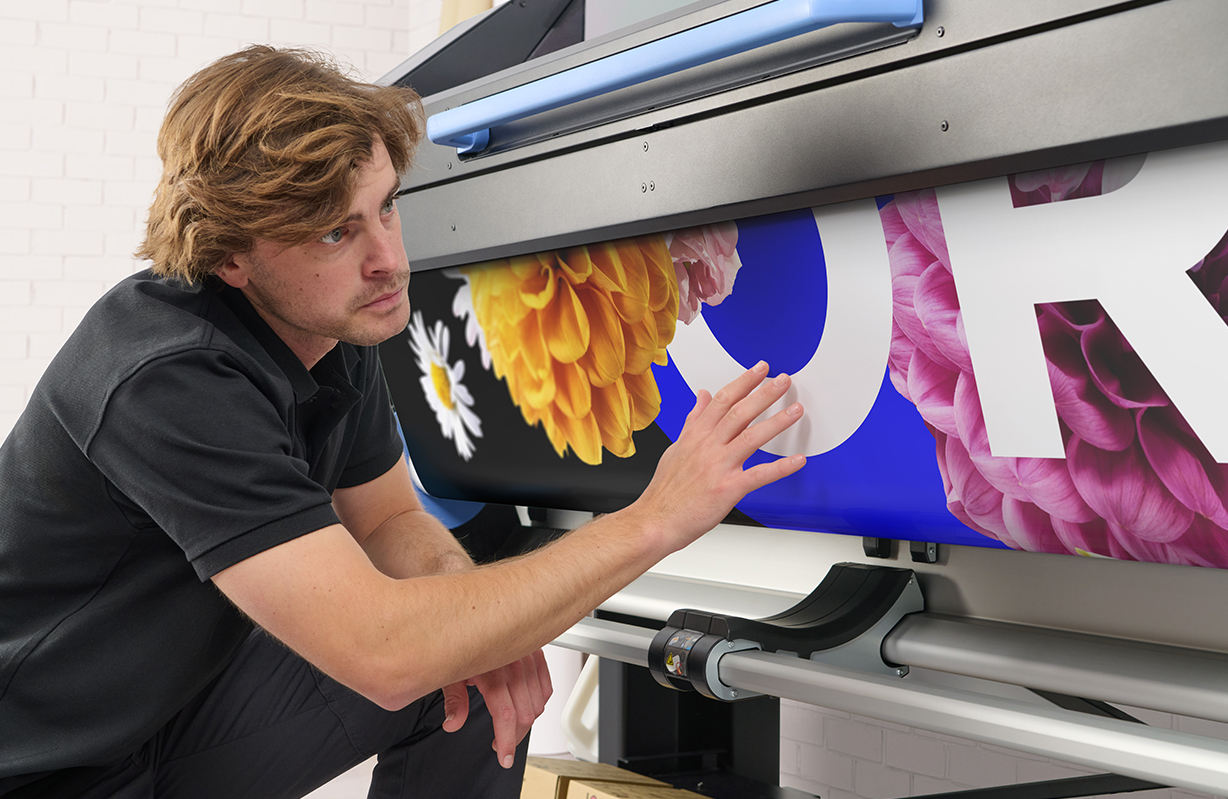
These printers are a powerful tool for diverse printing needs. Equipped with HP Latex Ink to deliver vivid colours and universal user-replaceable HP Latex Printheads to deliver sharp 4-point text, PSPs can print a wide range of applications – including branded campaigns, décor, and titled graphics – benefiting now from automated double-sided printing.
“One of the top highlights I’m seeing with this printer is that I’m getting finer details, banding reduction and text sharpness at lower pass modes”, said Andreas Griess, Owner and Managing Director of DCO Digitaldruck Centrum Oldenburg GmbH.
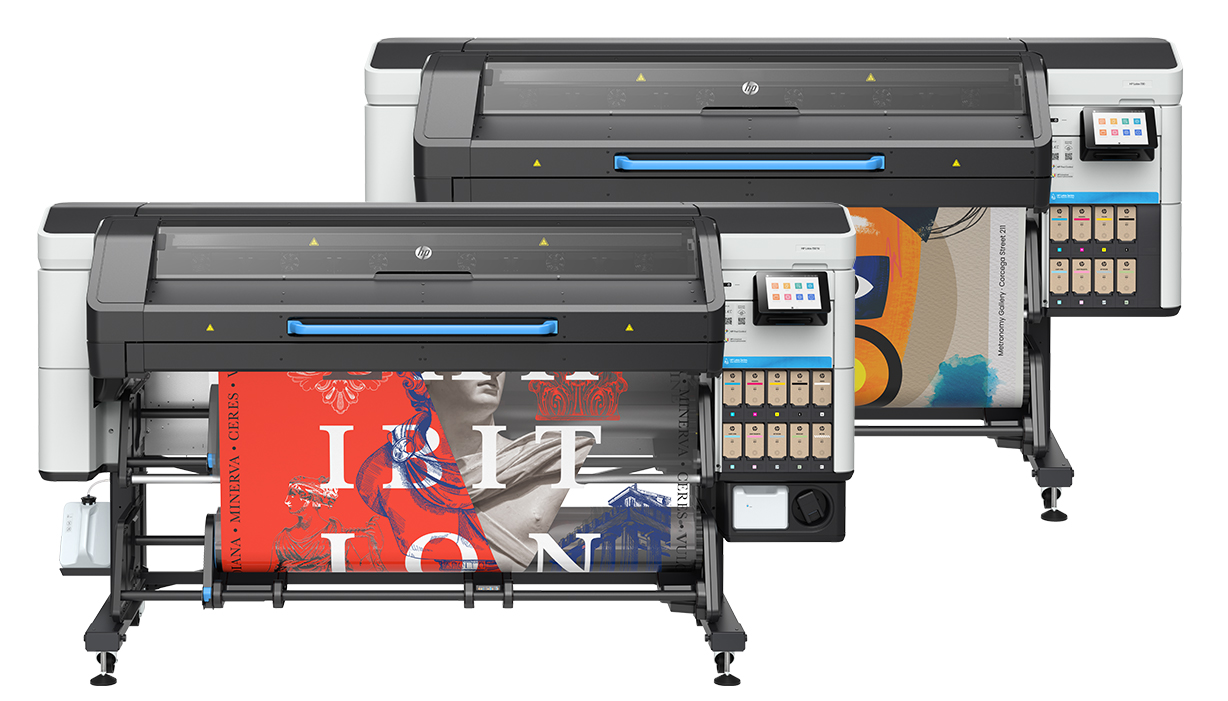
HP Latex 730 / 730 W Series Printers
Optimised Productivity and Reduced Waste
The new HP Latex Series is engineered to simplify production and optimise printing processes. Rapid production speeds significantly reduce printing time, while instant drying prints eliminate waiting times so more jobs can be done in less time. When coupled with the recently introduced HP PrintOS Production Hub software, PSPs can further enhance their operations by simplifying print workflows, order management, and remote production from a centralised, real-time platform.
Productivity and time-saving innovations have been considered at every step of the printing process, from spindle-less front-loading to facilitate quick and easy media loading, to the new output platen which minimises material waste by allowing tighter media control of each print job. PSPs can also optimise inventory management with the new universal printheads and a new long-life maintenance cartridge with an extended lifespan by at least 50%. The HP Latex 830 is enhanced to further reduce running costs, featuring 3-liter HP ink cartridges that can be replaced without halting operations.
Each enhancement delivers a smoother, more efficient workflow that enables faster job turnaround and lower total cost of production – ideal for smaller teams when managing multiple jobs in high-mix, fast-paced large format print production.
“With the new HP Latex 730 and HP Latex 830 series, the beauty is on the inside. It’s the key things that really make a difference, from our new colour pipeline HP Pixel Control to the new output platen that enables PSPs to print from the leading edge, we’re bringing innovation in this new series to deliver unrivalled quality, enhanced production and sustainability” said Daniel Martinez, Global Head and General Manager of HP Large Format Business.
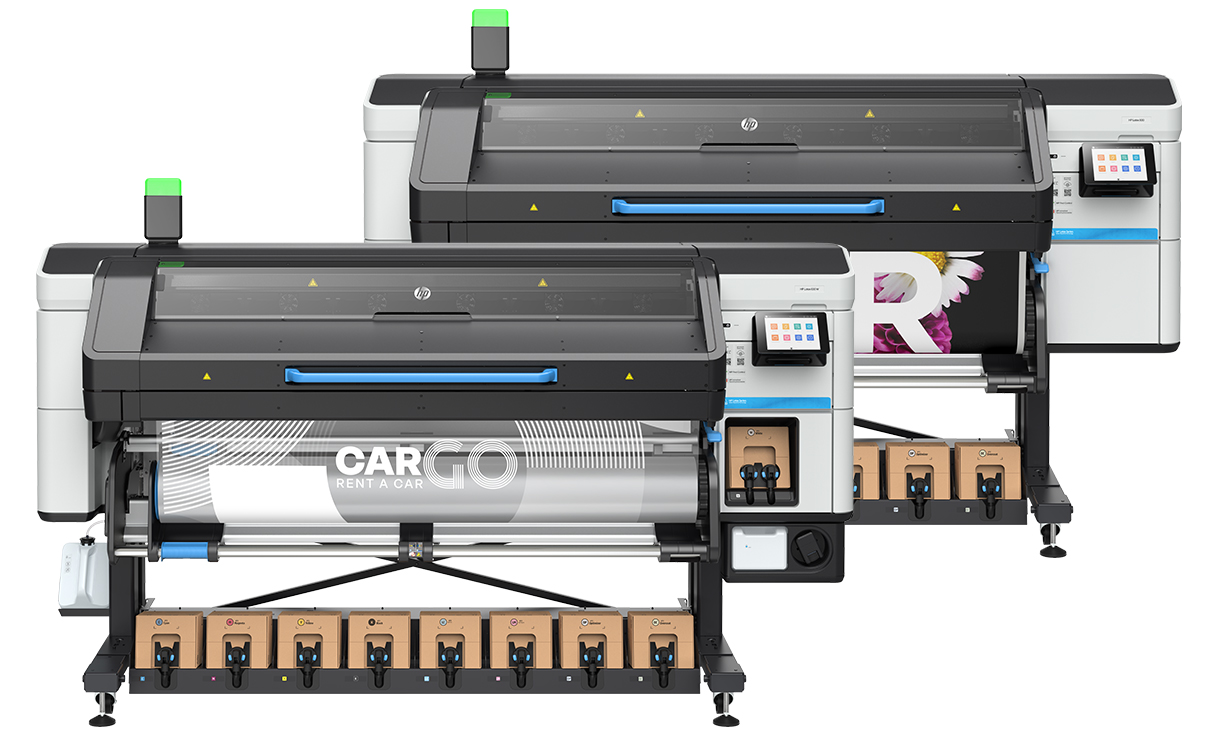
HP Latex 830 / 830 W Series Printers
Leading the Way with Sustainable Solutions
Furthering HP’s commitment to operational efficiency and sustainability, the HP Latex 730 and 830 join the HP Latex 630 as EPEAT Climate+ registered printers, the only printers in the signage industry with this certification. The HP Latex Series supports a more comfortable work environment while helping PSPs meet the growing demand for sustainable, high-impact print applications with water-based, odourless, and UL ECOLOGO-certified HP Latex inks, low emissions, and compatibility with fiber-based recyclable media.
PSPs can also advance their sustainability journey with the Sustainability Amplifier program software, which offers self-assessment tools, personalised recommendations, and expert-developed best practices to improve their environmental impact. Plus, reduce plastic waste with returnable supplies, including the new maintenance cartridge, via HP Planet Partners.
Preston Jordan, Owner and Founder at US-based Digital Precision, a full service environmental graphics production house highlighted the importance of today’s innovations reflecting the growing demand for sustainability, Jordan highlighted “Corporate clients are increasingly interested in sustainability. They’re inquiring about actions to take and how to incorporate sustainability into their marketing messages. They aim to communicate technological efforts to meet current sustainability expectations in an unsustainable industry.”
Availability
The HP Latex 730 and 830 Printer Series will be available worldwide starting May 5, 2025.
HP is also announcing global availability of the breakthrough innovations announced at HP Amplify. The all-in-one compact HP Latex R530 Printer - capable of handling both rigid and flexible media— is general available starting today, and the world’s only large-format software that merges order management and remote production control into a centralised, real-time platform, HP PrintOS Production Hub, will be globally available starting May 20.
About HP
HP Inc. (NYSE: HPQ) is a global technology leader and creator of solutions that enable people to bring their ideas to life and connect to the things that matter most. Operating in more than 170 countries, HP delivers a wide range of innovative and sustainable devices, services and subscriptions for personal computing, printing, 3D printing, hybrid work, gaming, and more. For more information, please visit: http://www.hp.com.
-
 Read more ...
Despite its size, the construction industry has long faced a productivity problem. In 2023, $13 trillion was devoted to construction projects globally, according to McKinsey. By 2040, the industry is predicted to grow by 70%. However, engineers and contractors are already struggling to meet today's project demands
The labour market is fiercely competitive, with shortages in essential roles like engineering and project management. Workforce shortages, retirements, shorter job cycles, and competition for talent have led to a decline in skills and experience. Consequently, construction productivity rose by only 10% between 2000 and 2022, compared to a 50% productivity improvement of the total economy, based on research from McKinsey.
Despite investments in digitalisation, manual processes still dominate workflows, risking human error and creating information siloes. Digitising the construction workflow end-to-end is essential for dramatically reducing the efficiency gap, which could create an estimated $1.6 trillion in additional value and meet half the world’s infrastructure needs.
Introducing HP Build Workspace
Launching today at HP Imagine, HP’s annual product innovation event, HP Build Workspace is a new mobile cloud collaboration platform that brings together all the essential stakeholders on complex building projects, such as urban planning, including architects, designers, contractors, and city planners. By simplifying complexity, improving communication and automating manual processes between the office and field sites, HP Build Workspace reduces construction project lead times from three days to as little as 20 minutes, depending on design complexity.
With seamless integration between digital and physical workflows, the HP Build Workspace platform also features HP Print AI capabilities and enables AEC professionals to:
- Effortlessly capture and organise site observations
- Vectorise their technical designs using AI
- Share floor plans
- Enable real-time feedback
- Automate field reports
Connecting Construction Site Layouts with HP SitePrint 3.0
In July 2024, ACCIONA delivered the design layout for the Alentejo Central Hospital 6x faster than manual methods and over 25,000 sqm of partition walls thanks to HP SitePrint. This is an example of how our connected technologies can significantly boost productivity in complex construction projects. We believe our innovations have the power to address the construction industry's productivity challenges, and our customers are already demonstrating what's possible.
HP Build Workspace combines three key innovations for an integrated, digitized and efficient construction solution:
- HP SitePrint, a robotic solution that prints complex construction site layouts with pinpoint accuracy, increasing productivity up to 10x compared to manual layout techniques (1).
- The print point of the HP SitePrint 3.0 is now up to 30% faster, offering boosted navigation speed and improved robotic capabilities to level up efficiencies in onsite operations (2).
- Additionally, we are working with large HP SitePrint customers on a Proof-of-Concept to check surface flatness, which will be available as a subscription service in selected markets by 2025.
Simplifying Your Printing Experience
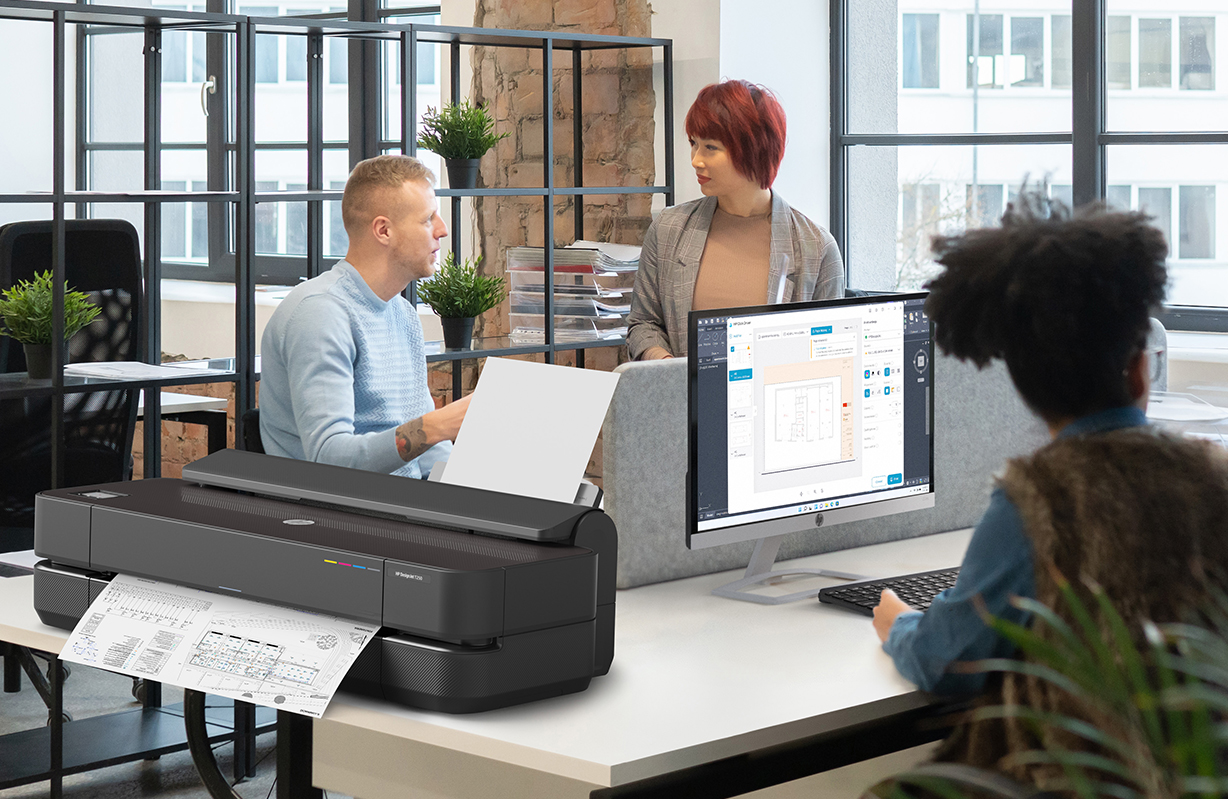
The DesignJet T200/T600 Printer series 2025 edition is our most sustainable, intuitive, and optimised large-format printer yet, offering reduced energy consumption and minimising plastic waste by more than 50% with new molded fiber packaging (3). AEC professionals can print digital plans on paper with ease using HP Click Driver for real-print previews from any Windows 11 application. Already in beta in the US and Europe, we intend to scale these AI capabilities to the UK & Ireland soon and roll out worldwide starting next year.
More information on HP Build Workspace and our suite of digital construction tools can be found here.
About HP
HP Inc. (NYSE: HPQ) is a global technology leader and creator of solutions that enable people to bring their ideas to life and connect to the things that matter most. Operating in more than 170 countries, HP delivers a wide range of innovative and sustainable devices, services and subscriptions for personal computing, printing, 3D printing, hybrid work, gaming, and more. For more information, please visit: http://www.hp.com.
1. Based on data from HP SitePrint customers – comparing HP SitePrint’s performance to manual layout techniques used for the same job, including the customer’s estimation (time/resource) for manual layout based on experience working on similar projects. HP’s data typically finds manual layout methods average between 25m2 and 35m2 covered per hour, with a crew of two people. HP SitePrint’s performance averages between 180m2 and 300m2, with one operator. Exact improvement results will vary from project to project and can be influenced by multiple factors, such as the line density or the dimensions of the site.
2. Productivity improvements of up to 30 percent are in comparison to the performance of the previous software version, VP2.0. These results were obtained from conducting internal tests, where SitePrint printed CAD files with average conditions, including element density per area and printed linear density per area, representative of real user plots across various applications. Actual productivity gains may vary depending on specific customer applications and the unique characteristics of each job.
3. The HP DesignJet T200/T600 Printer series 2025 Edition plotter series use EPS-free packaging with molded pulp cushions made from recycled fiber-based material. The plastic reduction is expressed as a percentage of the total packaging plastic weight. The reduction varies depending on the printer model, with at least a 53% reduction in the new 36-inch model and at least a 72% reduction in the new 24-inch model, compared to the previous T200/T600 models.
-
 Read more ...
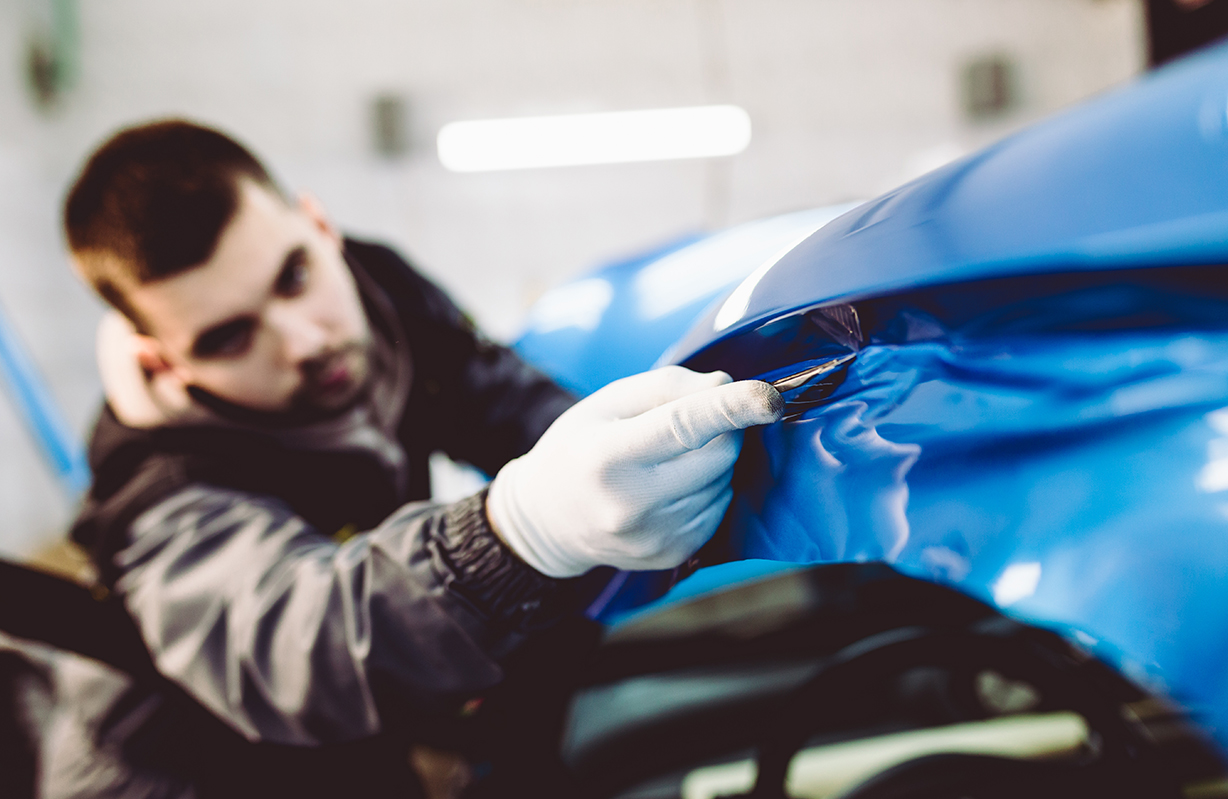
Diversifying into vehicle wrapping can be a lucrative decision for growing print businesses, no matter where you’re at in your large format journey. Recent advances in print technology have made wrapping easier than ever before. With durable water-based inks, intelligent media and, more precise large-format printers all available, there’s never been a better time to get involved.
Market growth
Vehicle wrapping is seeing an especially sharp rise, with the automotive wrap film market expected to grow 22.4% from 2021 to 2028. 1 The broader signage industry also remains resilient, as it’s a cost-effective solution for almost any business sector. This is all thanks to wider growth in the online and delivery sectors: E-Commerce is expected to grow by 16% in 2022, 2 and this means more demand for branded vehicles on the road. With 69% of customers finding out-of-home advertising more trustworthy than digital advertising, 3 it’s time to take advantage of these new opportunities and get results.
To get you up to speed with the basics including materials, technologies, and practical applications we’ve pulled together some of the most useful hints and tips into our short, handy guide.
Tip 1: Select the right media for the job
We’re going to focus on wrapping films in this section, as it’s a durable solution for vehicle wraps, but these principles apply to all media types. Cast vinyls are likely your go-to substrate for car wraps: they’re easy to contour, stretch, and cut, but this flexibility comes at a higher cost. If you’re printing to flatter signage surfaces and want to save some money, calendared vinyl is the way to go.
When there are so many options, you need a versatile print solution that can keep up. HP Latex is fully compatible with substrates from leading brands such as 3M and Avery Dennison. With HP, you can find a solution that fits your application needs and current equipment. These can all be found on HP Media Solutions Locator, giving you access to perfect media for your printer or application. Don’t forget to consider warranties for peace of mind. HP Latex printers are eligible for six year 3M MCS and Avery ICS warranties4 for vehicle graphics–helping you print with confidence.
Tip 2: Measure and measure again
A top tip for ensuring a successful sign or vehicle wrap, is ensuring that you have the measurements, images, and specifics of the surface, item, building, or vehicle you are designing for. For vehicles, especially for full wraps, you’ll need the latest vehicle templates, which you can find online. This will ensure your design fits properly, without distortion or slicing the image into pieces.
Tip 3: Design with the end-installation in mind
Less is sometimes more. The human eye can take in seven items at a time, so when designing it’s important not to try and pack in too much information.5 Equally, colour and font can help get your message across–but don’t use too many.
For signage, perspective and distance is key. Choose your lettering size carefully to optimise visibility according to the reading distance. As a rule of thumb, for every 3 meters of viewing distance away from your sign, you should increase the letter height by 2.5 centimeters. 6 HP Latex helps you print sharp images and text for easier eligibility. With a resolution of up to 1,200 DPI, 7 you can print clear text all the way down to 4-point font sizes.
Tip 4: Choose white ink–for prints that pop!
Printing with white ink can drive up your gross margins by up to 30% by adding depth and vibrance to your images–especially on transparent and coloured substrates.8 It can also make previously challenging (or even impossible) projects easier, saving time on additional processes and materials.
HP Latex White Ink gives you all the benefits of white without the complexity. HP Latex printers with white ink, such as the HP Latex 700W, 800W, or HP Latex R-series, feature automatic recirculation to prevent clogging. Additionally, they’re built with an offline rotation chamber for white printhead storage, to minimise waste between white ink jobs.
Tip 5: Select the right print profile
Let’s say you have the design ready, and you’ve chosen the ideal material for the task. Next, it’s important to deliver a sharp, high-quality image for your sign or vehicle wrap. HP offers a wide range of tested, approved and certified ICC print profiles for HP Latex printers. These profiles give your machine specific instructions on how much ink to lay down for the optimum result. This ensures images are not subject to colour shifts, over-saturation, insufficient ink coverage, edge curling or, drying problems.
A lot of print shops don’t follow this important step and use one generic profile for all their media, resulting in images that appear dull or just not quite right. So, by making sure to select the right print profile, you’ll definitely win on quality.
Since you’ll most likely laminate your vehicle wrapping prints, remember to disable the overcoat when selecting your profile.
Don’t forget–the latest generation of HP Latex also gives you a 10% higher colour gamut, giving you vibrant and accurate colors on any substrate.9Tip 6: Move into lamination
As your vinyl or film will be exposed to the elements, you need to select one that’s suitable for lamination to prevent scratches or water from dislodging it from the surface.
Tip 7: Eliminate the need to de-gas
By choosing HP Latex technology, you can remove the need to de-gas your vinyl prints before you install them. HP Latex prints are dry straight from the printer, ready to be laminated or installed immediately after leaving the print tray. This cuts out an entire step from your vinyl printing workflow, saving you time, and freeing up your resources for other tasks. A great way to boost your productivity and improve your bottom line.
Tip 8: Start your installation squeaky clean
The most time-consuming part of most signage or vehicle wrap installations is the preparation stage. For new signage installations, this may involve removing old graphics and adhesive, then washing with water and detergent to ensure a grease-free dry surface. When preparing for a vehicle wrap it’s essential to clean every inch of the surface as well as under trims and cracks to make sure they are 100% dirt-free. You should use a suitable solution to remove any wax, before wiping the vehicle with alcohol to remove any residue. All cleaning must be completed the day before to ensure the vehicle is completely dry before installation. Understandably this is often the least preferred part of wrapping a car and is sometimes neglected, but this is at the peril of long-term wrap durability as the slightest dirt left behind could result in the vinyl’s adhesive failing. So, to be sure of success, make sure your vehicle is always squeaky clean.
Tip 9: Apply graphics with ease
The installation of a car wrap undoubtedly requires skill and practice. But the real key to success is post-heating. After the wrap is installed, you should apply a heat gun to the vinyl at 85-95 degrees Celsius, especially where there are deep recesses or contours. This will ensure that the vinyl will retain its memory and remove the risk of it ‘popping’ out.
If you are wrapping in colder weather, keep the car inside until the next day. This will allow the vehicle and vinyl to cool down gradually to minimize the risk of lifting.
With the HP Latex 700 and 800 printers, you can achieve 30% better adhesion to laminate, 10 making it easier than ever to get smooth, long-lasting fits. What’s more, HP Latex Inks are very flexible. Discover ink elongations up to 30% without losing quality.11What are you waiting for?
Signage and car wrapping undoubtedly offer a range of exciting possibilities for entrepreneurial print businesses to explore. There are certainly some tricks of the trade to learn upfront, but once proficient, you’ll be able to offer a wide portfolio of services that will ensure your customers will never need to go elsewhere.
Remember, you’re not alone on the journey. Printer manufacturers and media vendors are always on hand to help, and you’ll find online tutorials and videos to help with any questions along the way.Footnotes
1. Grand View Research, Automotive Wrap Films Market Size Report 2021-2028, https://www.grandviewresearch.com/industry-analysis/automotive-wrap-film-market
2. Insider Intelligence, Ecommerce Industry Statistics, https://www.insiderintelligence.com/insights/ecommerce-industry-statistics/
3. Statista, 2016 https://www.statista.com/topics/5771/out-of-home-advertising-uk/#topicHeader__wrapper
4. Warranty coverage varies by region, please see graphics.averydennison.com and 3Mgraphics.com for information about what is offered in your country. Some warranty limitations may apply.
5. Simply Psychology, Short-Term Memory: Facts, Types, Duration, and Capacity, https://www.simplypsychology.org/short-term-memory.html
6. Signs.com, Signage 101 – Letter Height Visibility, https://www.signs.com/blog/signage-101-letter-height-visibility/.
7. HP Latex 800 print resolution: up to 1,200 DPI. See the spec sheet for more info: https://h20195.www2.hp.com/v2/GetDocument.aspx?docname=c06990640
8. Based on research conducted by Keypoint Intelligence July 2020 and commissioned by HP, across over 100 print service providers across the U.S., Europe, and India
9. On HP Latex 700 and 800 printers, when compared with same ink density in HP Latex 365/5x0 printers. HP Latex 700/800 printers provide lower color distance to some Pantone* (average visual colour distance 1.99 dE vs 3.34dE): Blue (Pantone 289C): 1.3dE vs 3dE, Red (Pantone 201C): 0.49dE vs 3.8dE, Orange (Pantone 153C): 1.6dE vs 3dE. *Measured Xrite i1Pro 2, dE calculated based on the CIEDE2000 standard L500 (10p: 151 sqft/h 110% saturation) vs. L700/800 (8p: 183-215 sqft/h 120% saturation)
10. Compared to HP Latex 365/5x0 series printers.
11. HP Latex 365/5x0 and 700/800 Printers inks show similar ink flexibility performance. We can support ink elongations up to 30% (2dE criteria). In case of HP Latex 700/800 printers, white ink has similar flexibility as the other colours. -
 Read more ...
Technical documents are a cornerstone of any architecture, engineering and construction (AEC) office. Ask any designer, architect or engineer: they facilitate collaboration with stakeholders located near and far — from concept design stage through to the completed construction project.
When looking for the right architectural printer, one that doesn’t meet specific requirements can lead to many complications. With tenders, presentations, and deadlines hinging on smooth project flows, it is imperative that you get the right printer best suited to the needs of your practice. If you have ever received an internal email with instructions not to send any jobs to the printer because a tender is due, then you understand what we are trying to say.
So, what should you look for?
In short, the right printer can help you:
- Streamline workflow
- Enable collaboration across departments
- Support a more agile work culture
Time is money
The golden rule is to never waste any time. The faster the print job, more time can be spent on core activities. Two areas to look out for, whatever architectural printer you choose, are:
- The time the printer takes to warm up from standby mode to begin printing.
- The time it takes to complete the first and subsequent prints, known as “throughput time”.
Speed is often listed in terms of images per minute (IPM) and pages per minute (PPM). For large format printers, PPM is typically given in terms of A1 sheets, as opposed to A4/letter sheets in standard printers.
Up to 0.1% line accuracy precision
For architectural printers, every little detail matters. They are designed to produce highly accurate drawings, and precision measurements are generally measured in two ways. Line accuracy is given in “ per cent”, denoting the margin of placement error that a printer allows. This refers to the distance between the printed line and the line’s position on the original file. The smaller the figure, the higher the accuracy.
Guaranteed minimum line width is given in millimetres and describes the lightest line weight a printer is capable of representing. Similarly, the lower the figure, the higher the accuracy, meaning that even very fine line weights will be preserved.
Depending on the type of technical drawing, the line weight (better known as pen width) is assigned to the graphical elements in CAD and needs to be consistent with all technical drawings produced.
Compatible with all modelling software
Imagine making several rounds of changes to the 3D model in preparation for a tender submission. When reviewing the prints, you discover that several layers were not printed as intended, because the printer driver, or the printer, is not compatible with your 3D application. With the number of CAD platforms used, this scenario is very plausible.
While some CAD platforms are widely used within the AEC industry, there is none that can meet every requirement or purpose. Accordingly, not all of these will be compatible with your chosen large format printer.Makes work much easier
Ever struggled to locate the ink cartridge ports in your architectural printer? Had difficulties with sending your print jobs to the printer? Frustrated with collecting prints off the floor? The good news is that modern large format printers enable workflow efficiency to be improved.
For instance, easy paper and ink loading, as well as neat stacking and collation of completed prints all help to save time, contributing to a smoother process.
Always depend on hard copy
No project is safe from delays. There are multiple reasons for downtime, from remoteness or inaccessibility of field sites, or sudden bad weather. Connectivity in such places may be fair at the best of times, but it can disappear in a second. In such situations, hard copy is always reliable and dependable.
Today, large format printers are more cost-effective than ever, producing documents with higher resolution and colour fidelity. The right ones can help you do more than you can imagine.