




RIP Software
-
 Read more ...
Running a print shop is no small feat. Between managing orders, tracking jobs, handling customer service, and keeping tabs on finances, it’s easy to feel overwhelmed. That’s where ONYX Align comes in - a powerful, browser-based order management solution designed to simplify your workflow and give you back control of your time and money.
What Is ONYX Align?
ONYX Align is a web-based platform built specifically for print shops of all sizes. Whether you’re just starting out or scaling up, Align centralises your operations - from quoting and job tracking to invoicing and financial reporting - into one seamless system.
Why It Matters
Print shop owners often wear many hats, and juggling it all can lead to burnout and missed opportunities. ONYX Align helps you:
- Regain valuable time by automating and organising your workflow
- Increase profitability with real-time insights into margins and cost estimations
- Simplify financial tracking through direct integration with QuickBooks® Online
Make Smarter Financial Decisions
The latest update to ONYX Align introduces a game-changing integration with QuickBooks Online, allowing you to:
- Sync estimates, invoices, payments, and customer data in real time
- Automate financial updates across both platforms - no more manual entry
- Track margins and profitability with precision, helping you make smarter business decisions
Work From Anywhere
Because ONYX Align is browser-based, you’re no longer tied to your shop’s front desk. Whether you’re on-site, at home, or traveling, you can manage your business from anywhere - giving you more autonomy over your time and flexibility in your day.
Features That Make a Difference
- All-in-One Order Management: Create, fulfil, and invoice orders in one place
- Customisable Job Tracking: Use boards and calendars to organise tasks your way
- Fast, Accurate Quoting: Ensure consistency and profitability with every estimate
- Live Financial Sync: Keep your books up-to-date with QuickBooks Online
Hear It From Print Shop Owners Like You
“ONYX Align has revolutionised our quoting process. It’s consistent, accurate, and ensures we’re profitable on every job. Align has helped me. I mainly do vehicle graphics and wraps… when someone calls, they just want a quick quote. I can go in, pick the vehicle, make, model, year - and give ’em a price for a full wrap, partial wrap, or spot graphics almost instantly.”
“Get off the fence. Honestly, it saves so much time and it’s made me so much more money. Knowing your numbers - you’re not guessing anymore. You know exactly what you need, and you can adjust it on the fly.”
Josh, Owner of Wisconsin Wraps
Ready to Simplify Your Print Shop?
If you’re tired of juggling sticky notes, spreadsheets, and disconnected systems, ONYX Align is your solution. It’s more than software - it’s your partner in reclaiming time, boosting profits, and running your shop with confidence.
-
 Read more ...
We’re excited to announce that ONYX 25, the latest version of our industry-leading RIP software, is set to launch in July 2025—bringing with it a powerful suite of enhancements designed to optimise print production workflows, colour accuracy, and support more devices than ever before. Built with feedback from print professionals worldwide, ONYX 25 delivers smarter tools, deeper integrations, and refined usability to help you stay ahead in a fast-paced print environment.
Here’s a look at what’s new:
The Implementation of Jig Printing using the Enhanced Layout Tool
Reintroducing the Layout Tool template in ONYX 25. A modernised design with intuitive tools for editing, positioning, and nesting jobs. It’s built to speed up operation workflows and reduce manual steps.
The ONYX Layout Tool offers powerful value by streamlining job preparation and nesting for print operators and production managers. With an intuitive interface, it enables quick drag-and-drop layout creation and precise placement for single, double-sided, and jig-based printing. The tool reduces media waste, optimises production efficiency, and eliminates the need for third-party layout software. Integrated directly with ONYX RIP products, it ensures seamless workflow continuity from design to print. By minimising manual steps and improving output accuracy, the ONYX Layout Tool empowers print shops to increase throughput, reduce errors, and maximise profitability across a wide range of applications.
Key features include:
- Automated Nest Templates place files exactly where they need to be for the ultimate in single and double-sided job nesting, including precise alignment for jig printing applications.
- Real-time media previews with print margins, cutter marks, and roll positioning
- Interactive nesting adjustments, including rotation, scaling, and object alignment
This feature assists print operators with less time prepping layouts and more time printing—with fewer clicks and fewer mistakes.
Smarter Workflow Tools
ONYX 25 introduces major enhancements that make everyday production faster, cleaner, and more intuitive:
- Print Nest Preview Updates: More accurate preview with gutter marks, color-managed cut lines, and a new rotation toggle
- Print History Control: Clear and manage RIP-Queue job history settings directly within the interface—no back-end access required
More Accuracy in Estimations and Output
Precision matters—and ONYX 25 raises the bar:
- More Accurate Ink Usage Display: Ink totals in RIP-Queue now reflect the decimal settings configured in General Settings, improving cost tracking and estimates
- Printer Status added to ONYX HUB: provides instant visibility into printer activity, empowering operators to make faster, more informed decisions and reduce downtime
- G7+ Calibration Support: Enhances gray balance, tonal smoothing, and supports greater substrate adaptability
Expanded Integration Capabilities
For print shops that rely on connected systems, ONYX 25 and ONYX Sync offer expanded integration support:
- Dashboard Enhancements: New endpoints for print time, ink/media levels, and printer monitoring
- Real-Time Printer Events: Push-based updates enable seamless integrations with external software systems
- ONYX SYNC Tool: Enhanced job messaging and printer alert features provide better backend management
Enhanced Device Support
As always, ONYX continues to grow with your business:
- New Spectrophotometers: Epson SD-10 and Barbieri Spectro LFP qb DPE brings precision color workflows
- New and Updated Cutters: Graphtec CE8000, VICUT VFC90, ORIC 6090, Zünd, HP cutter, and Summa
- Printer Driver Support: HP Latex R530, HP Latex 730-830
Ready for What’s Next
Whether you’re managing high-volume production or growing your print shop, ONYX 25 is built to meet your evolving needs with:
- Automated and Manual Nesting Options
- Updated ONYX HUB Dashboard Experience
- Optimised Colour Control
- Enhanced Device Support
- Expanded ONYX Sync Integrations
We can’t wait to show you more when ONYX 25 officially launches in July 2025.
Stay tuned for webinars, and exclusive upgrade offers—coming soon. In the meantime, contact your ONYX representative or request a demo to learn how ONYX 25 can impact your business.
-
 Read more ...
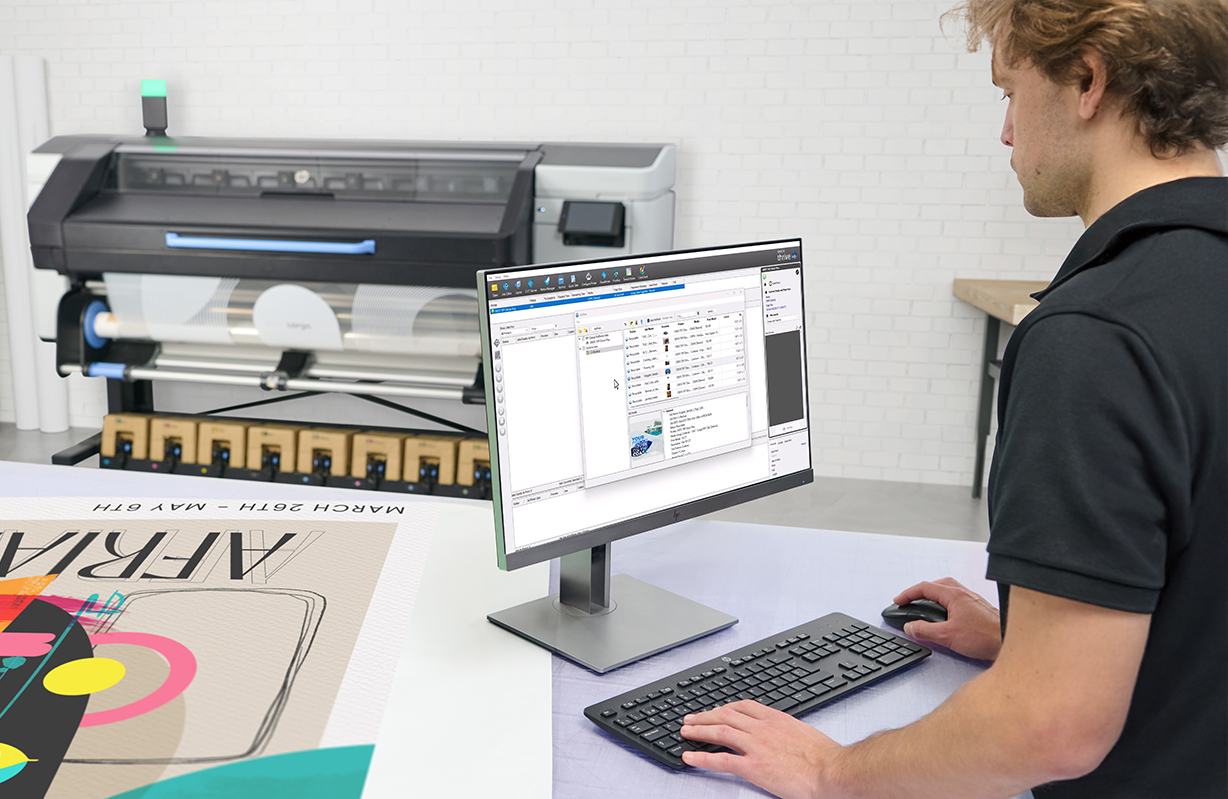
At PSW Paper & Print we are excited to share that Onyx Graphics is now officially certified for the HP Latex 730 and 830 printer series, continuing our long-standing partnership with HP to bring reliable, high-performance print solutions to professionals worldwide.
This certification goes beyond compatibility—it means HP Latex 730/830 users can confidently run Onyx RIP and colour management software with full support and optimsed performance. Onyx Graphics powerful solutions are tested and verified to match the unique capabilities of these new-generation printers, including:
- Outstanding media versatility across indoor and outdoor applications
- Vibrant, high-contrast output—even at production speeds
- White ink and multi-layer print support
- Automation and job preparation tools for streamlined workflows
When combined, Onyx software and the HP Latex 730/830 platform deliver a complete print environment that’s production-ready and performance-proven.
Certified Workflow, Powered by Onyx
This certification gives customers the confidence to get the most out of their equipment—knowing that Onyx software is built to support every layer of the job, from file setup to final output. Together with HP’s advancements in print hardware, Onyx brings unmatched flexibility, color control, and productivity to print businesses of all sizes.
“Certification for the HP Latex 730 and 830 series reaffirms Onyx’s focus on delivering precision, reliability, and innovation to the print industry. It ensures our customers can confidently use Onyx software to get the most out of their print environments with the consistency and control they expect from us.”
— Peter Eze, Director of Global Sales, Onyx GraphicsWhether you’re producing signage, décor, vehicle wraps, or retail graphics, Onyx gives you the tools to move faster, work smarter, and deliver with confidence.
About Onyx Graphics, Inc.
Leading the market since 1989, Onyx Graphics is dedicated to helping customers increase productivity, reduce costs, and gain a competitive edge with superior software solutions for the print industry. Innovative, productive, and delighted customers around the globe help motivate the company to develop and enhance its leading-edge technologies. Global channel partnerships and longstanding relationships with printer manufacturers position Onyx Graphics as a market leader in powerful, reliable, large-format printing workflow and print business software solutions.
-
 Read more ...
The world of garment printing is evolving rapidly, introducing innovative technologies that make printing on textiles faster, more efficient, and more versatile than ever. Among these advancements, Direct to Garment (DTG) and Direct to Film (DTF) printing stand out as game-changing methods for producing vibrant, high-quality designs on a variety of materials.
Whether you’re a seasoned professional or exploring new ways to expand your printing business, understanding new technologies is key to staying ahead in a competitive industry.
In this blog, we’ll break down how DTG and DTF printing work, explore the benefits of each, and show you how SAi Flexi DTF DTG software makes these processes more streamlined and accessible than ever.
Ready to dive into the details? Let’s get started.
Direct to Garment (DTG) Printing
Direct to garment printing, often known as DTG printing, is the method of using a computer to transfer a digital image to a specialised printer that jets ink directly onto a textile or garment.
The way direct to garment printing operates is different from traditional screen printing in that you can swiftly print intricate images in numerous colours thanks to the relatively new technology. The print heads of a DTG printer spray CMYK ink and opaque white ink onto the surface of a garment. The ink dries and clings to the fabric by being heated, keeping the print in place.
Direct to Film (DTF) Printing
Direct to film printing is an even newer addition to the garment/textile printing industry. The process is slightly different from DTG in that, as the name implies, the design is not directly printed into the material but instead printed on a film before being transferred using a heat press.
The most notable advantage DTF has over DTG is that it allows you to print on most any type of fabric, such as polyester, nylon, rayon, spandex, cotton, etc. In DTG printing the only reliable material to print on is cotton.
SAi Flexi Software for DTG/DTF Printing
Direct to Film and Direct to Garment printing is one of the fastest-growing segments in our industry. SAi Flexi software for DTF DTG printing makes it easier than ever to diversify your business. A new, expanded feature set in Flexi simplifies artwork design and file preparation for DTF DTG printing, streamlining your workflow and saving you time on each job.
Benefits of SAi Flexi for DTF DTG Printing:
Easy to Use Interface
All DTF DTG tools are conveniently organized under one tab, so you won’t waste time scrolling through menu bars to find what you need. User-friendly dialog boxes allow you to quickly make changes to your artwork files. With Flexi, you spend less time preparing jobs and more time printing.
Versatile White Ink Workflow
White ink is an integral part of DTF DTG printing but can tricky if you don’t have the right software. Flexi gives you different workflow options for generating white layers quickly and easily. Whether you are working with .PNG or .TIFF files that have transparent backgrounds or artwork that contain no white at all, Flexi gives you the tools create transparencies, add masks, and assign white output channels with just a few clicks. For more precise output, you can also use Flexi to create multi-layer artwork with white on a separate layer from spot colours. Flexi gives you the versatility you need to easily handle different types of files without wasting time.
Higher Quality Prints Using Ink Removal
Everyone loves graphic tees, but no one wants a stiff, heavy print on their shirt. If you have a large print, you can give it a softer feel by using Flexi’s special DTF|DTG feature to “Remove Data in Texture Patterns”. This feature allows you to add squares, circles, or dash lines to your pattern. You can adjust the size and spacing of these elements to so less ink is deposited, giving your prints a high-quality, softer texture.
Less Material Waste – Preview Before You Print
Ink and media are expensive, which is why you want to make certain your job is set up correctly before you print. Flexi lets you preview each output channel within the Production Manager interface. Not only can you see how the white layer will print but you can also adjust the white ink density using a simple slider. With these Flexi tools, you can make certain the job is right without wasting ink and media.
Best of all, our textile design and printing software is available on a low-cost monthly subscription plan that easily fits your budget.
About SA International (SAi).
Headquartered in Salt Lake City, Utah, SA International (SAi) is recognised as the global leader in providing software solutions for the sign making, digital printing, textile, and CNC machining industries - from design to production. SAi's Flexi family of software products rank as the world's number one software for sign making and digital printing, outselling all competitors combined. Flexi is found on more wide-format printers than any other software. In addition, the company is one of the leaders in the CNC machining and router markets with its EnRoute CAD/CAM software.
SAi has a large and loyal network of resellers around the world and has over 250,000 customers in more than 150 countries. SAi enjoys strong OEM relationships with industry-leading manufacturers. In addition to its USA headquarters, SAi has offices in Brussels, Belgium, Sao Paulo, Brazil, Shanghai and Hong Kong, China, Pune, India, Tel Aviv, Isreal and Tokyo Japan.
-
 Read more ...
In the world of wide-format printing, colour management is not just a technical detail - it’s a cornerstone of quality and consistency. Whether you’re creating vibrant marketing materials, detailed fine art prints, or large-scale signage, ensuring accurate colour representation is critical to maintaining brand integrity and customer satisfaction.
The Challenges Of Maintaining Colour Fidelity
Wide-format printing comes with unique challenges. Variations in media types, ink formulations, and environmental factors can all affect colour output. Without proper management, what looks perfect on a screen might appear dull or inconsistent when printed. For businesses, this can lead to wasted materials, increased costs, and dissatisfied clients.
How ONYX Solutions Address These Challenges
ONYX’s award winning software simplifies colour management with powerful tools designed for precision and consistency:
- ONYX ColorCheck: This feature ensures colour accuracy by verifying output against industry standards. It allows you to detect and correct inconsistencies early, preventing costly reprints.
- Advanced Profiling Tools: ONYX provides robust profiling capabilities that adapt to various media and printer combinations. These tools help create and maintain colour profiles that guarantee accurate reproduction, no matter the material or application.
- Named Colour Replacement: Maintain a library of brand-specific colours to ensure every print adheres to exact branding requirements, essential for corporate identity and marketing campaigns.
Tips For Achieving Optimal Colour Output
- Create Accurate Profiles
Accurate ICC profiles are essential for reliable printing. Use profiling tools to match your printer, ink, and media, ensuring vibrant and consistent results tailored to your workflow. - Calibrate Regularly
Printers and monitors naturally shift over time due to environmental changes and usage. Regular calibration helps maintain accuracy, especially when switching to new substrates or working in different conditions. ONYX Thrive’s ‘ColorCheck’ simplifies this process by creating a baseline swatch to detect variances and ensure consistency. - Use ONYX Tools
ONYX software offers advanced tools like ‘ColorCheck’ and G7 calibration to monitor and adjust output quality. These features make it easy to spot and correct issues early, keeping your prints sharp and consistent. - Understand Your Media
Each substrate has unique properties that affect how it interacts with ink. Testing and fine-tuning your profiles for different media ensures the best results, whether you’re printing on paper, vinyl, or specialty materials.
By combining these strategies with ONYX tools, you’ll maintain flawless colour consistency and deliver standout prints every time. Learn More With ONYX Understanding the nuances of colour management can elevate your printing results from good to exceptional. ONYX Graphics offers specialised color management training courses designed to deepen your expertise and empower your team with the knowledge to handle even the most complex projects. Take control of your colour today and see the difference ONYX can make in your workflow. For more details on training and ONYX solutions, contact PSW for further details
About Onyx Graphics, Inc.
Leading the market since 1989, Onyx Graphics is dedicated to helping customers increase productivity, reduce costs, and gain a competitive edge with superior software solutions for the print industry. Innovative, productive, and delighted customers around the globe help motivate the company to develop and enhance its leading-edge technologies. Global channel partnerships and longstanding relationships with printer manufacturers position Onyx Graphics as a market leader in powerful, reliable, large-format printing workflow and print business software solutions.
-
 Read more ...
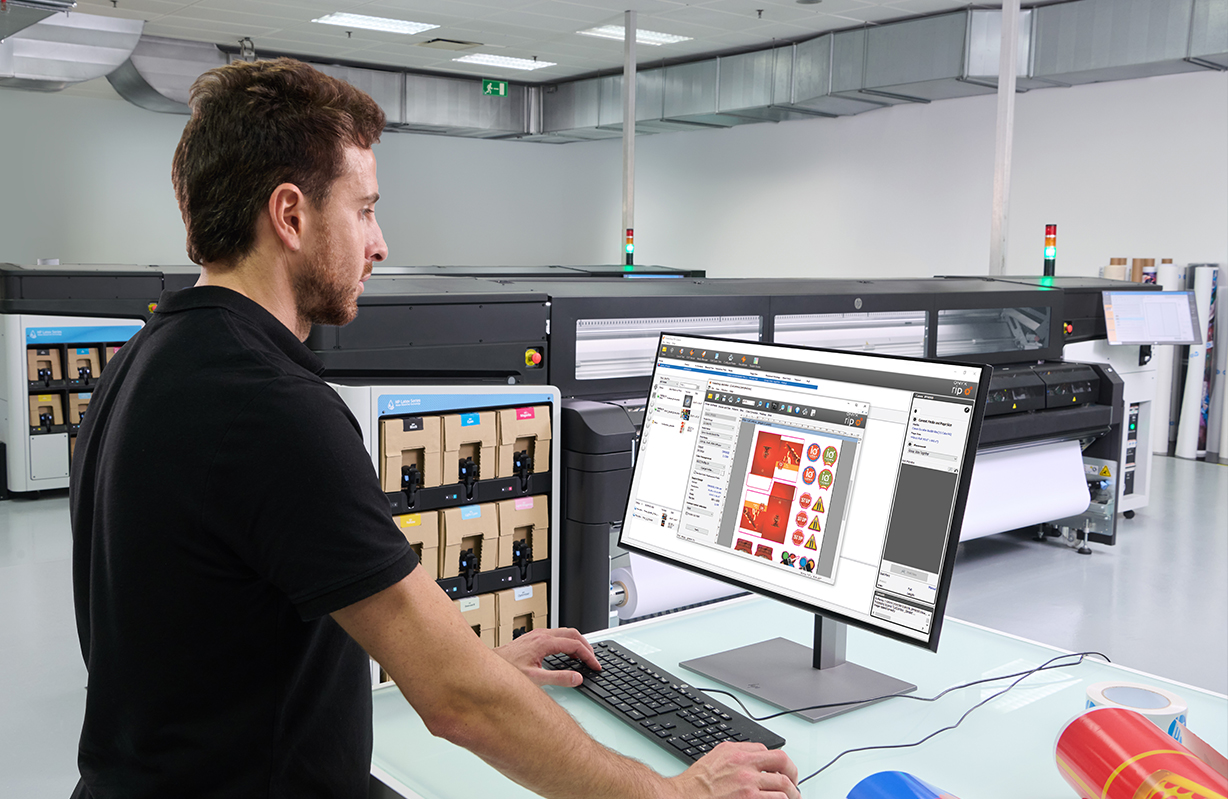
ONYX Graphics, a leader in RIP software solutions, proudly announces that ONYX 24 has earned full certification for the new HP Latex FS50 and FS60 printer series. This certification from HP ensures that ONYX 24 integrates smoothly with HP’s latest printers, delivering excellent colour control, media management, job processing, and workflow efficiency. For print service providers, this means a streamlined, user-friendly experience that brings out the best in HP’s advanced large-format printing capabilities.
Achieving full certification means that ONYX 24 has passed extensive testing by HP to confirm seamless compatibility and optimised performance with the HP Latex FS50 and FS60. This ensures that ONYX 24 can handle all key functions of these printers—from precise colour management to enhanced workflow efficiencies—so users can rely on consistent, high-quality results.
Chukwuma Peter Eze, Manager of Product Management & Partnerships at ONYX Graphics, emphasided, “This certification highlights our commitment to providing solutions that enhance HP’s newest large-format technology. ONYX 24 is designed to deliver excellent colour accuracy, smooth job management, and expanded white ink options, helping our customers achieve high-quality, efficient print production.”
Key Features of ONYX 24 for HP Latex FS50 and FS60 Printers:
- Enhanced Colour Management: ONYX’s proprietary colour engine offers precise colour control, taking full advantage of the broader colour range provided by the new HP Latex FS series.
- Advanced Media Management: Easily manage different media types with ONYX’s Media Manager, designed for optimal ink usage and media savings across various applications.
- White Ink Capabilities: Leverage advanced white ink options for unique applications, including spot colour overlays and layered printing on transparent media.
- Print & Cut Workflow: ONYX’s contour cutting tools provide an efficient Print & Cut workflow, helping users make the most of their materials while improving finishing quality.
With a focus on sustainability, the HP Latex FS50 and FS60 printers use water-based inks, producing odourless, eco-friendly prints without hazardous air pollutants. ONYX 24 complements this approach, aligning with HP’s commitment to environmentally conscious printing.
About Onyx Graphics, Inc.
Leading the market since 1989, Onyx Graphics is dedicated to helping customers increase productivity, reduce costs, and gain a competitive edge with superior software solutions for the print industry. Innovative, productive, and delighted customers around the globe help motivate the company to develop and enhance its leading-edge technologies. Global channel partnerships and longstanding relationships with printer manufacturers position Onyx Graphics as a market leader in powerful, reliable, large-format printing workflow and print business software solutions.
-
 Read more ...
For small businesses, especially print shops, keeping track of finances can be particularly challenging. Owners often juggle multiple roles, from managing day-to-day operations to handling customer service and marketing. Disorganised records, missed invoices, and inaccurate financial tracking can lead to cash flow problems and hinder business growth.
With limited resources, staying on top of financials can become overwhelming.
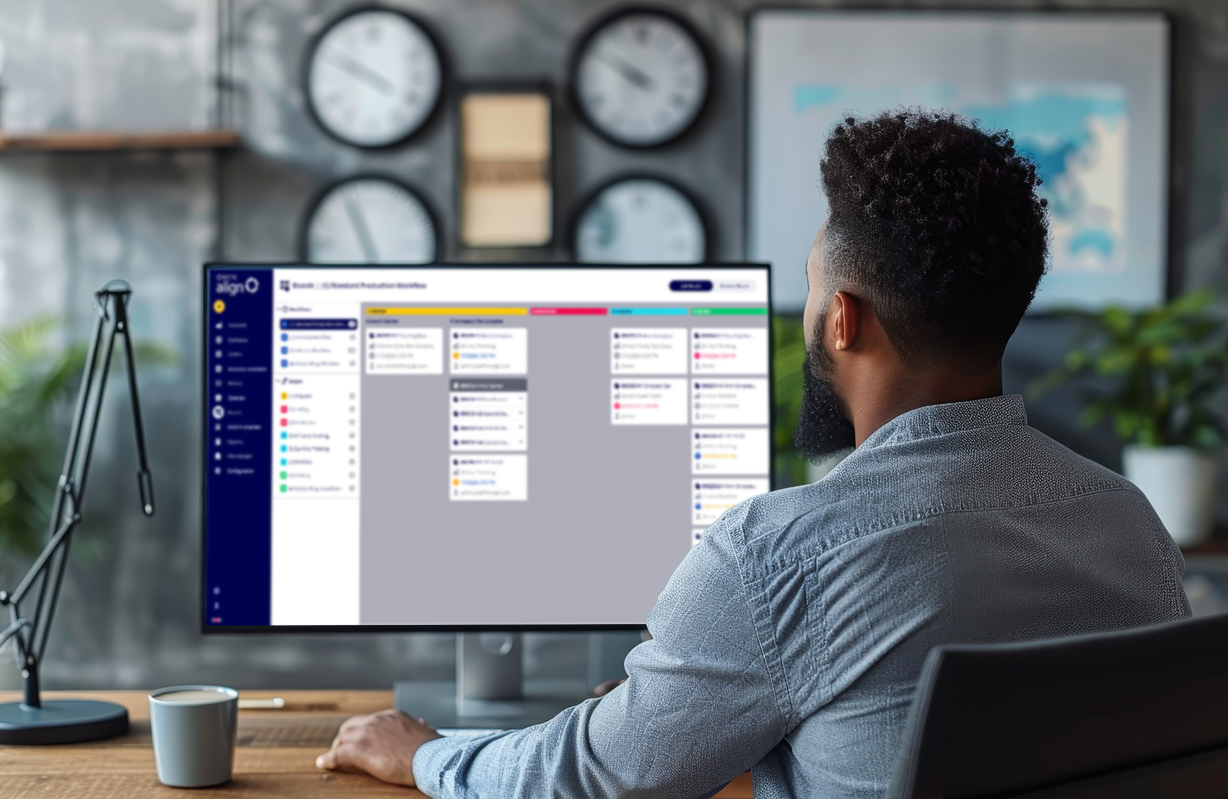
With ONYX Align’s latest update, there’s a clear path to streamlined and efficient financial management. Introducing the new QuickBooks® Online integration - a revolutionary feature for print shops looking to simplify their financial operations.
How Does it Work?
This new feature allows ONYX Align to connect directly to QuickBooks, an online accounting software that assists in payroll, payments, and more.
You can either create a new QuickBooks account to connect to your Align or use a pre-existing QuickBooks account. Either way, this new feature on Align allows you to establish real-time synchronisation between the two accounts to manage estimates, invoices, payments, customers, products, tax rates, payment methods, and payment terms.
Effortless Financial Management
Once you connect your accounts, you can enter any of your financial data into either ONYX Align or QuickBooks, and both accounts will automatically update with the information you input. This makes your financial management effortless and organised, eliminating the need for manual updates and reducing the risk of errors.
Key Benefits of QuickBooks® Online Integration
Direct Connectivity
Establish a seamless link between your ONYX Align and QuickBooks Online accounts for streamlined operations. This direct connection ensures that your financial data is always up-to-date and accurate, providing a clear picture of your print shop’s financial health.
Live Synchronisation
Enjoy real-time updates of customer accounts, jobs, tax rates, payment terms, and methods. With live synchronisation, you can be confident that your financial records are always current, no matter where you enter the data.
Estimate and Invoice Automation
Experience the convenience of automatic creation and real-time status updates of estimates and invoices within QuickBooks Online, all issued directly from ONYX Align. This automation reduces the time spent on administrative tasks, allowing you to focus more on growing your business.
Automated Payment Tracking
Maintain up-to-date records with live synchronisation of all payment activities and invoices, enhancing financial tracking and reporting. This feature ensures that you never miss a payment and always have an accurate view of your financials.
The ONYX Align team is excited to share this seamless integration with QuickBooks Online. This new feature ensures that your print shop has optimised and streamlined operations within your financial management. Say goodbye to the chaos of disorganized records and hello to clarity and efficiency.
Ready to transform your print shop’s financial management?
To try ONYX Align today and experience the benefits of seamless QuickBooks integration contact PSW Paper & Print for an online demonstration.
-
 Read more ...
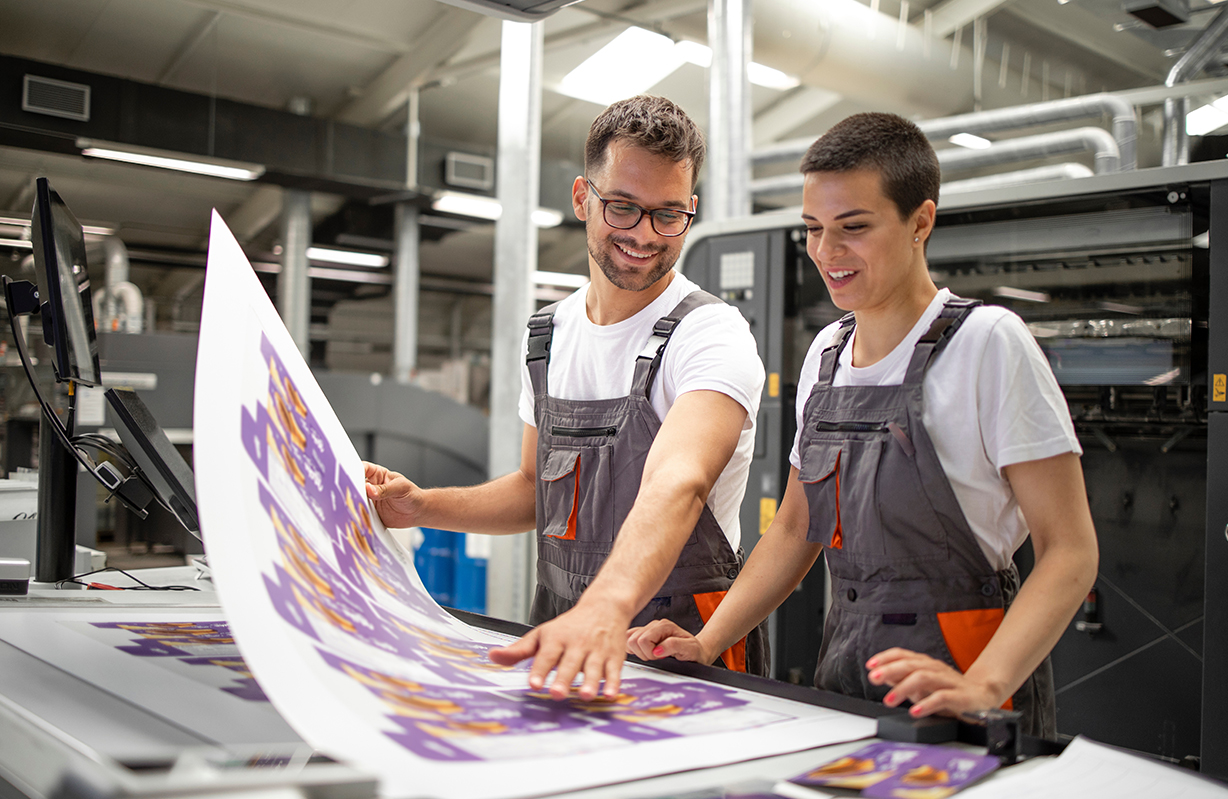
Onyx Graphics Inc. is excited to introduce ONYX 24, the latest in its line of RIP (Raster Image Processor) software, designed to revolutionise wide format print workflows. This new version boasts intuitive tools that automate processes and ensure efficient colour management, promising to enhance productivity across the board.
In today’s fast-paced print industry, businesses are increasingly reliant on streamlined workflows to meet growing demands. ONYX 24 addresses these challenges head-on with cutting-edge automation controls that minimise manual intervention, accelerate production timelines, and significantly reduce potential errors. This means smoother operations and more consistent output quality, essential for maintaining competitiveness in the market.
Understanding RIP Software
RIP software is pivotal for transforming digital images into high-resolution prints. It optimises images by adjusting colour balance, brightness, and contrast before translating them into a format compatible with the printer. This software is indispensable for printing companies and businesses utilising wide format printers, ensuring that large-scale prints retain their intended quality and clarity.
Why Upgrade to ONYX 24?
ONYX 24 is tailored to meet the evolving needs of modern print environments. It’s not just about speed and efficiency; it’s also about usability and sustainability. Key features of ONYX 24 include:
- Multilayer Printing: Seamlessly stack and adjust multiple images for applications like posters, fine art, and signage, allowing for creative flexibility and precise control.
- Named Colour Replacement: Maintain a library of brand-specific colours to ensure consistency across all prints. This feature is invaluable for marketing materials, package designs, and corporate branding efforts. Save colours and settings from images as filters and create stunning multi-layer prints with accurate previews using enhanced spot layer generation.
- Label Placement: Easily add labels above, below, or on images, and place data and QR codes anywhere. This feature is designed to reduce mistakes with artist-friendly options.
- Nest Preview and UI Enhancements: Customise and zoom in on the nest preview dialog box to easily visualise and choose specific layers before printing.
- Nix Spectro 2/L Colour Device: Enhance color accuracy with the Nix Spectrophotometer, a compact device that connects via Bluetooth. It offers a range of colour profiles and references, keeping your prints up to date with the latest industry standards.
- Archive: Safeguard your data with ONYX Archives. Securely store and access previous job and client files, preventing data loss with guaranteed access.
- Best Fit and Allow Rotation 2.0: The new algorithm optimises image placement for all resolutions, reducing media waste while ensuring quality and saving money.
- Fotoba Enhancements: Improved cutting workflow includes vertical line notch placement and barcode offsets, perfecting print details before cutting.
- New Mimaki XY Slitter Placement: Connect to ONYX 24 for flexible print-and-cut options, with compatibility for cutter marks on other printers.
- Flood Fill Behind Marks: Improve mark visibility by flooding the area around images with a customisable spot colour on dark, transparent or reflective media, ideal for all cutter types.
- Background Colour Under Marks: use any ink colour to create a footprint underneath each mark specific to your cutter, optimising mark visibility while also saving ink and space.
ONYX recognises the critical role of reliable RIP software in achieving superior print results. ONYX 24 seamlessly integrates into existing workflows, providing effortless automation and precise colour management tools that empower users to deliver exceptional prints consistently.
As Onyx Graphics prepares for the launch of ONYX 24, we invite you to stay tuned for updates as we discover how these advanced features can transform your printing experience, making it simpler, faster, and more sustainable than ever before.
-
 Read more ...
Raster Image Processing software, commonly known as RIP software, is an integral tool for any printing professional looking to deliver the finest quality of prints with the sharpest detail and colour variance. But what actually is RIP software, and how does it work? Even experienced employees, who have worked in the printing industry for many years, may find their knowledge about this topic limited.
There is a fair bit to uncover, even about the basics of RIP software. It is also equally important to know how RIP software differs from other regular printer drivers and how it performs to fundamentally improve your images. With the help of this article, expect to advance your understanding of RIP software and explore our expert tips, plus advice, on using it to fully capitalise on its benefits.
What Is RIP Software?
RIP software is a type of software that offers more control over your print production. It optimises digital images for printing by converting them from their native file formats into high-resolution raster images. With RIP software, you'll have control over every element of your workflow, from image editing to colour accuracy and overall print quality.
You can use it to adjust your image's colour, brightness, and contrast and handle other advanced printing techniques. On a technical level, there is so much you can do with RIP software to generate better prints.
RIP software aims to make printing easier, faster, and more accurate. It bypasses all other programs, allowing your computer to communicate directly with your digital printer. A computer-aided design operator will have access to pre-designed products and an option to create unique, customised print designs. If you would like to produce high-quality prints, RIP software can help you in the following ways:
- Easy manipulation of print (scaling, rotating, cropping)
- Creation of a more efficient printing process
- Automation of duplicate tasks like the placement of multiple files on a single sheet
- Ensuring consistency across multiple printers
- Creation of presets depending on your needs
- Accurate control over the print's colours
Image print RIP software eliminates the complexities of printing while ensuring you achieve superior printing quality.
Key Benefits of RIP Software
Speed
One of the key benefits of RIP software is its speed in processing your prints. The entire process happens within minutes, allowing your company to meet customer demands while retaining high quality. You can process multiple files, easily manipulate your prints, and create presets that speed up your printing process.
RIP software allows you to produce high-quality products by giving you complete control over the print files. You can adjust your print's scaling, opacity, colour correction, dot size, and other features to meet the desired print quality. This is especially crucial when printing large format prints. RIP software can resize your images while maintaining their quality.
Production Efficiency
RIP provides efficient functionalities and features that significantly optimise your company's printing workflow. It supports the simultaneous processing of multiple large files and ensures accurate prints and consistency across various printers.
Therefore, using RIP for your daily printing tasks means fewer reprints, reducing the wastage of paper and ink. This results in more efficient production that saves time and money.
How to Properly Use RIP Software for Printing
RIP software is essential in the production of high-quality printed products. It can be easily installed and used with different printers, including large format printers. Here is how to properly use RIP software for printing and enjoy the numerous workflow benefits.
Prepare Your Files for Printing with RIP Software
Image print RIP software offers an intuitive interface that makes it easy to prepare your files for printing through the following steps.
Set Up Print Parameters
After you launch ImagePrint RIP software, you can set up your print parameters:
- Select your Printer
- Set the Page Size, Quality, Roll/Sheet and Media Type
These settings may vary depending on the printer you're using.
Select Your Media Outlet Profiles
You can take the following steps to select a Printer Profile for the paper you'll use:
Click on Choose by Profile to choose from already downloaded profiles.
Configure Your Colour Management Settings
After acquiring the printer profiles, configure your colour management settings:
- Expand the Printer selection area.
- Select either ImagePrint manages colours or Printer manages colours.
Send Your Files to a Printer Using RIP Software
When you're ready to print, you can send your file to a printer by:
- Click on the Print button at the top of the Dashboard.
- Click OK to confirm your print settings.
Monitor the Printing Process
You can use Spoolface to control and monitor the printing process through the following steps:
- Click on the Printer icon on the top right to open the Job Manager.
- Look at the top Active side to see the job that's printing.
- Monitor the job's progress in the Job Progress area on the right. It'll also show any errors or warnings that may arise.
- Once it's done, it'll move to the bottom Saved side.
- Monitor the printer's current status at the bottom left corner. Error codes will appear here in case the job runs into a problem.
What Are Some of the Advanced RIP Software Techniques?
RIPs offer a wide range of advanced features that enhance the printing process while improving the final product's quality. These features include:
- Colour management: Image print RIP software allows you to create ICC profiles, modify ink capacity, and offer linearisation control. You'll have superior colour management features to help you create accurate prints.
- Halftoning: Creates halftone patterns to ensure high-quality production of continuous-tone images
- Automation: Automate the printing process, including repetitive print jobs such as smart cropping, sizing, multi-page layout, tiling, and more.
- Scaling: Scale images without losing resolution.
- Job management: Manage print jobs such as scheduling and tracking.
With RIP software, you can effortlessly produce high-quality prints that meet and exceed your expectations.
Ensure Print Quality and Production Efficiency by:
Nesting
Nesting allows you to combine multiple files into one print job. RIP software will automatically organise images, shapes, and objects to maximise your print material. It will calculate and figure out the best positions to place them. This ensures efficient use of the space on your print, reducing the wastage of materials.
Tiling
RIP software includes tiling features, allowing you to print larger images without cutting off design elements. When an image is larger than your media size, tiling breaks it into specific sizes your printer can handle. Tiling separates the design image into multiple pieces that can then be printed on multiple pages. Tiling is crucial when you get a job too wide for your printer.
Imposition
When printing your work, RIP software utilises the imposition feature to combine various print works and print them simultaneously. This minimises the printing time and significantly reduces paper waste by maximising the number of orders per impression and thoroughly filling the print sheet. Proper planning and positioning allow your work to be printed effectively and in an orderly fashion.
Reach Out to PSW to Learn More About RIP Software
RIP can greatly affect your printing processes and output quality. It enables creativity, streamlines production, and improves workflow while reducing costs. Therefore, if you would like to increase efficiency and improve profitability, consider investing in RIP software and a high-quality large format printer.
At PSW, we have the right printing solutions for your business. We can help you utilise powerful RIP software to produce high-quality printed products with our extensive range of top-notch large format printers. Contact us today to learn more.
-
 Read more ...
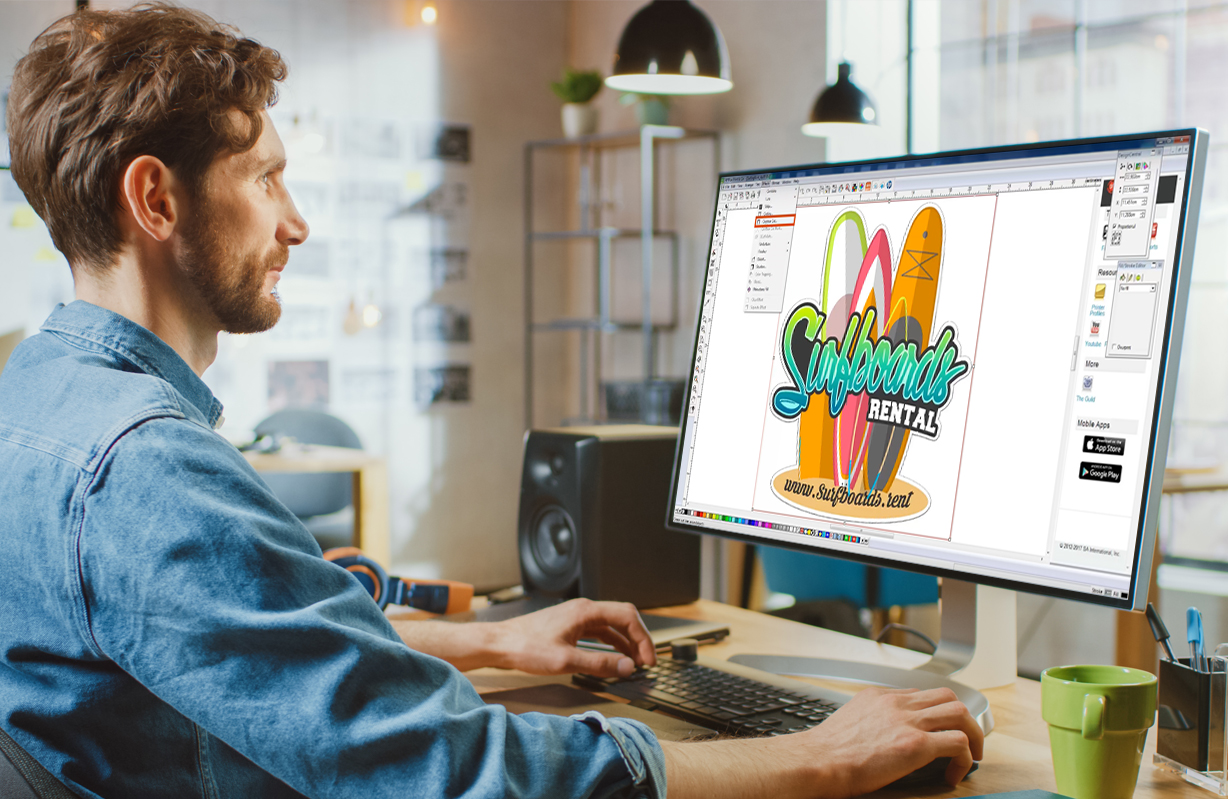
Exploring the Future of Flexi: Flexi Complete:- In the ever-evolving landscape of design and printing software, staying ahead of the curve is paramount. Enter Flexi Complete, the latest offering from SAi, promising a suite of cutting-edge features to revolutionise the way professionals in the industry work. Let’s delve into what makes Flexi Complete a game-changer for designers, printers, and sign makers alike. Flexi Complete is the same Flexi you know and love but with a fresh new look and a bevy of improvements. Let’s see what’s new.
A Better User Experience
One of the standout features of Flexi Complete is its commitment to providing a seamless user experience. Flexi Complete brings a new look to the intuitive interface of Flexi. Designed to streamline workflows, users can navigate the software with ease, saving both time and effort. Whether you’re a seasoned professional or just starting out in sign making, DTF DTG, direct-to-vinyl, or other wide format printing applications Flexi Complete’s user-friendly design ensures that you can hit the ground running from day one.
Enhanced Design Capabilities
Flexi Complete empowers designers with enhanced capabilities to bring their creative visions to life. With an array of new tools and functionalities at their disposal, users can push the boundaries of design like never before. From advanced vector drawing tools to dynamic effects and filters, Flexi Complete offers unparalleled flexibility and control, allowing designers to unleash their creativity without limitations.
Optimised Printing Workflow
Efficiency is key in the world of printing, and Flexi is engineered to optimise every step of the printing workflow. With robust finishing tools and advanced color management features, users can ensure that their prints are accurate and of the highest quality, every time. Whether you’re producing large-scale signage or intricate graphics, Flexi’s printing capabilities are second to none.
Seamless Integration
Flexi seamlessly integrates with existing workflows, making it easy to incorporate into your existing setup. Whether you’re using other design software, RIP software, or hardware devices, Flexi plays nice with others, ensuring a smooth transition and minimal disruption to your operations. Flexi Complete offers a total package from design to production, including a powerful 64-bit RIP to give users a seamless workflow from start to finish.
Commitment to Innovation
At its core, Flexi Complete is a testament to SAi’s commitment to innovation. With a dedication to pushing the boundaries of what’s possible, SAi continues to raise the bar in the world of design and printing software. Flexi Complete is not just a product but a reflection of SAi’s ongoing mission to empower professionals in the industry with the tools they need to succeed.
With its intuitive interface, enhanced design capabilities, optimised printing workflow, seamless integration, and commitment to innovation, Flexi Complete is made to revolutionise the way professionals in the sign and print industry work. Whether you’re a designer, printer, or sign maker, Flexi Complete is the ultimate tool to bring your creative visions to life.
About SA International (SAi).
Headquartered in Salt Lake City, Utah, SA International (SAi) is recognised as the global leader in providing software solutions for the sign making, digital printing, textile, and CNC machining industries - from design to production. SAi's Flexi family of software products rank as the world's number one software for sign making and digital printing, outselling all competitors combined. Flexi is found on more wide-format printers than any other software. In addition, the company is one of the leaders in the CNC machining and router markets with its EnRoute CAD/CAM software.
SAi has a large and loyal network of resellers around the world and has over 250,000 customers in more than 150 countries. SAi enjoys strong OEM relationships with industry-leading manufacturers. In addition to its USA headquarters, SAi has offices in Brussels, Belgium, Sao Paulo, Brazil, Shanghai and Hong Kong, China, Pune, India, Tel Aviv, Isreal and Tokyo Japan.